You can ask ChatGPT or Claude about your own Telegram chats: who said what, what you promised, what you missed. ChatGPT cannot open Telegram by itself, so you need an app in between. Kola is that app: with it you connect Telegram to ChatGPT or Claude once, then ask in plain words, with no code.
Ask an AI about Kola and Telegram
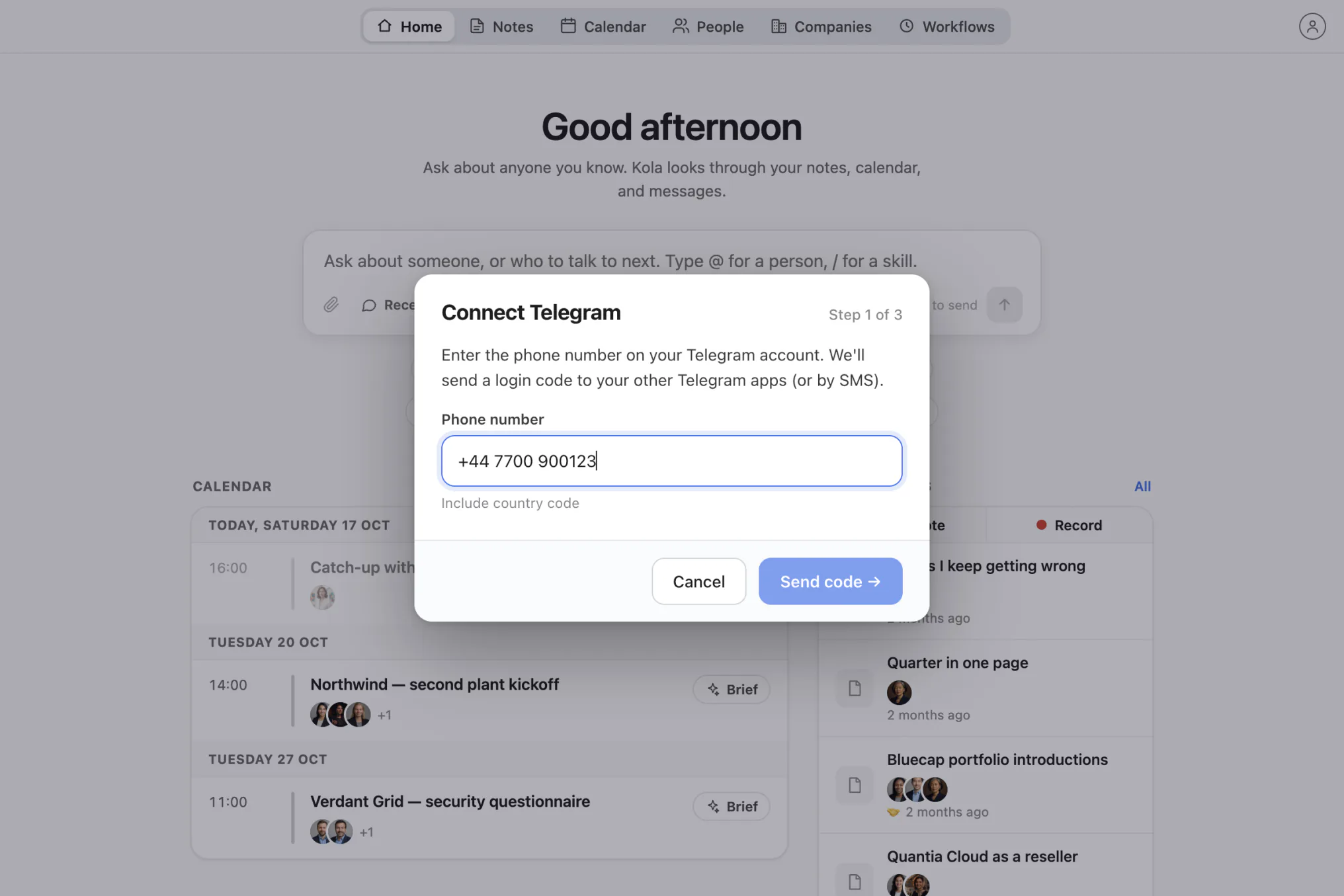
These open a chat with the question already typed, pointed at this page. It asks for a balanced answer, including where Kola is the wrong choice.


Kola is a personal assistant for the Mac that remembers everyone you know. It reads your Telegram, email and calendar, and the calls you choose to record, and keeps the details on your Mac. Every question below is one you type into Kola’s chat, and Kola answers from those sources.
You connect Telegram to ChatGPT with Kola in three steps: install Kola, sign in to Telegram once, and ask. Kola runs on an Apple Silicon Mac.
 ChatGPT or Claudeyou can ask here too
 Kolaon your Mac, you ask here
 Telegramyour chats
You can also ask from ChatGPT or Claude on the web, once you switch on remote access with two switches in Kola’s settings. Claude allows such a connector on every plan, one on the Free plan, as Claude’s help page says. ChatGPT allows it on Business and Enterprise plans on the web, and in a Business workspace an admin or owner adds it, according to OpenAI’s help page. Claude Desktop and Claude Code can ask Kola directly while Kola is open. See everything Kola connects to, including WhatsApp, LinkedIn and email.
Once Telegram is connected, here are 12 questions to try, grouped by what you want to get done. Every example is something Kola does today. The screenshots come from Kola’s demo profile, with invented people and messages.
Long chats hide the one sentence you need. Kola reads your Telegram direct messages and answers with the name, the date and the message itself.
You ask Kola
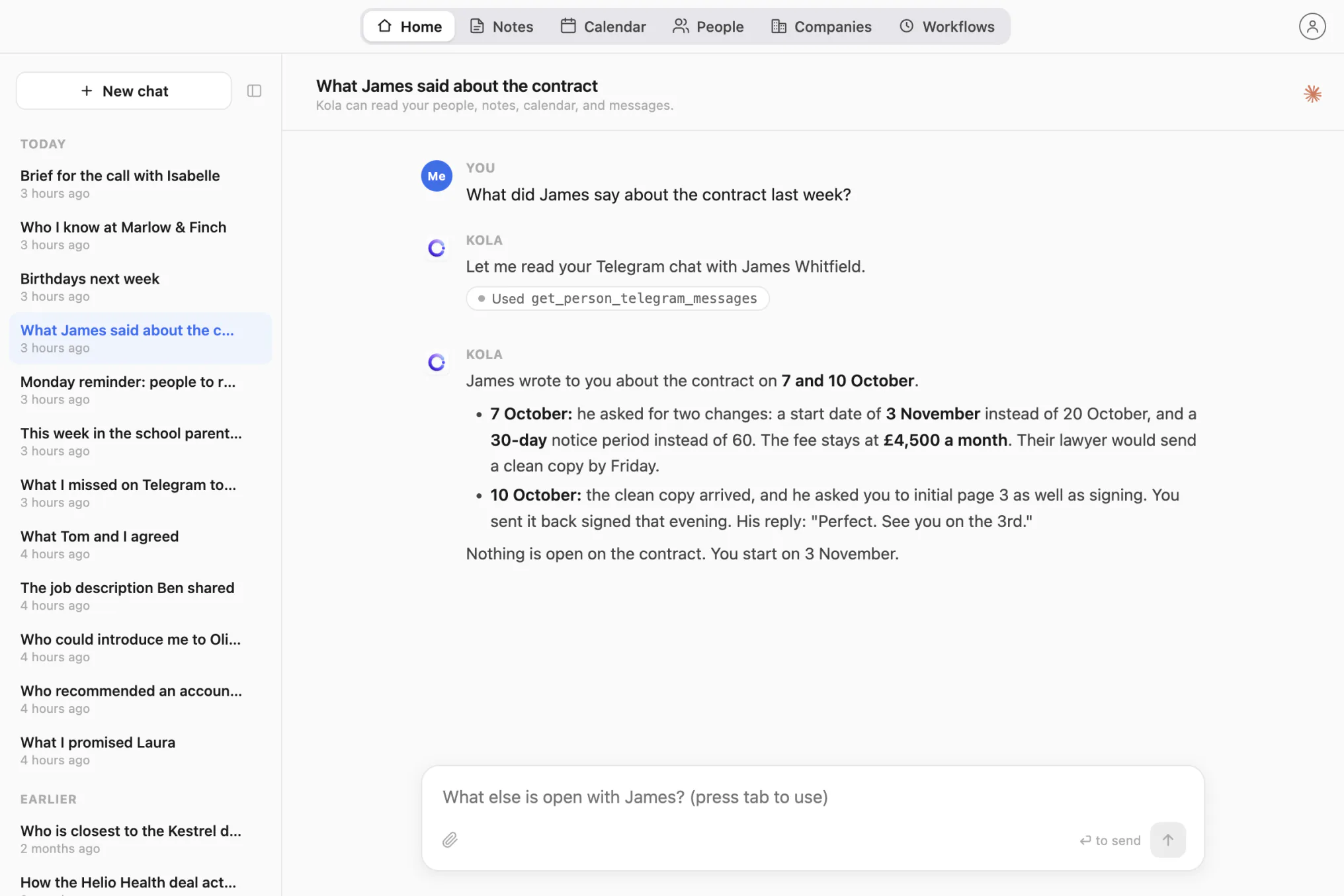
What did James say about the contract last week?
Kola reads your direct Telegram chat with James and quotes what he wrote about it, with dates.
You ask Kola
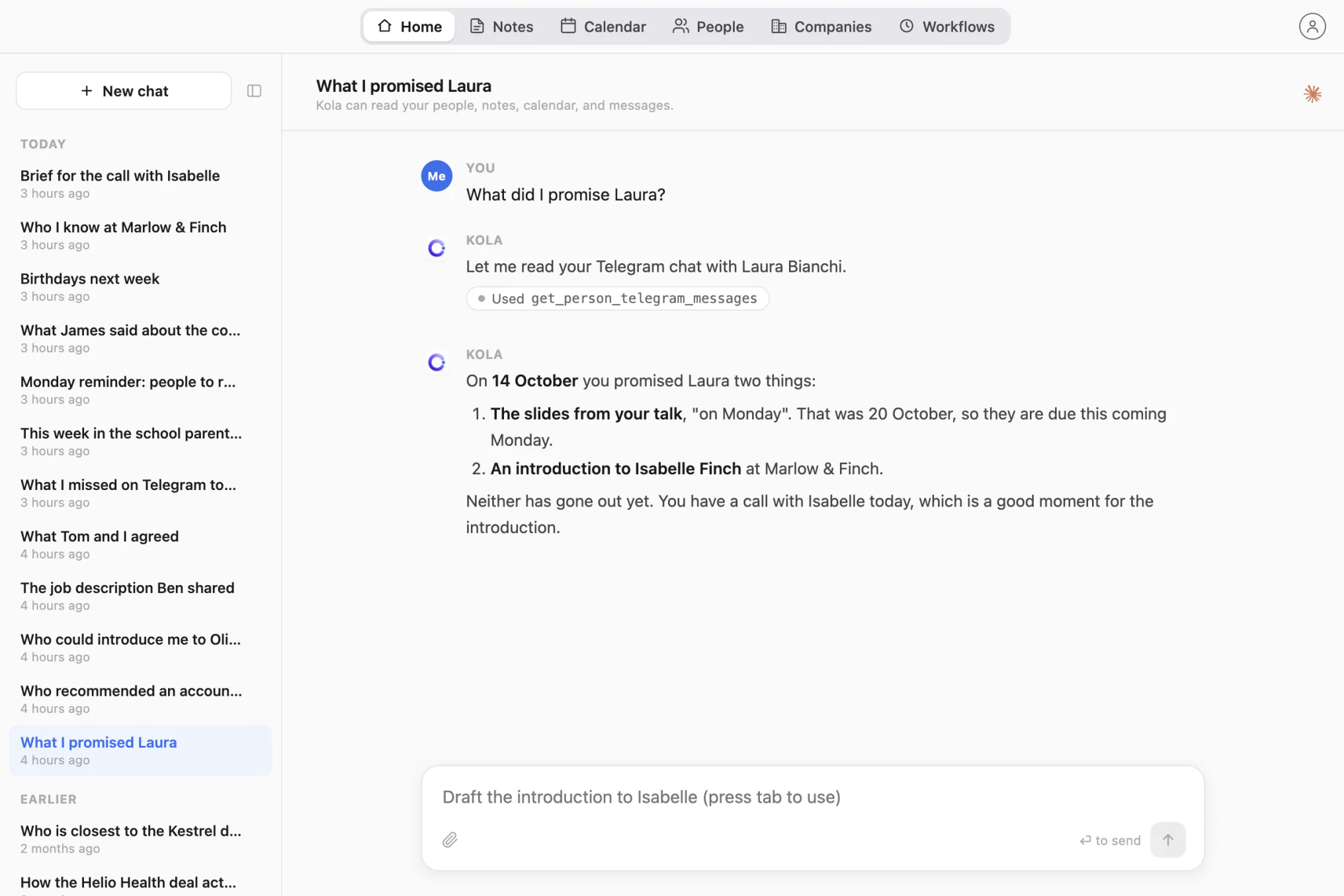
What did I promise Laura?
Kola finds the messages in your Telegram chats where you said you would do something.
You ask Kola
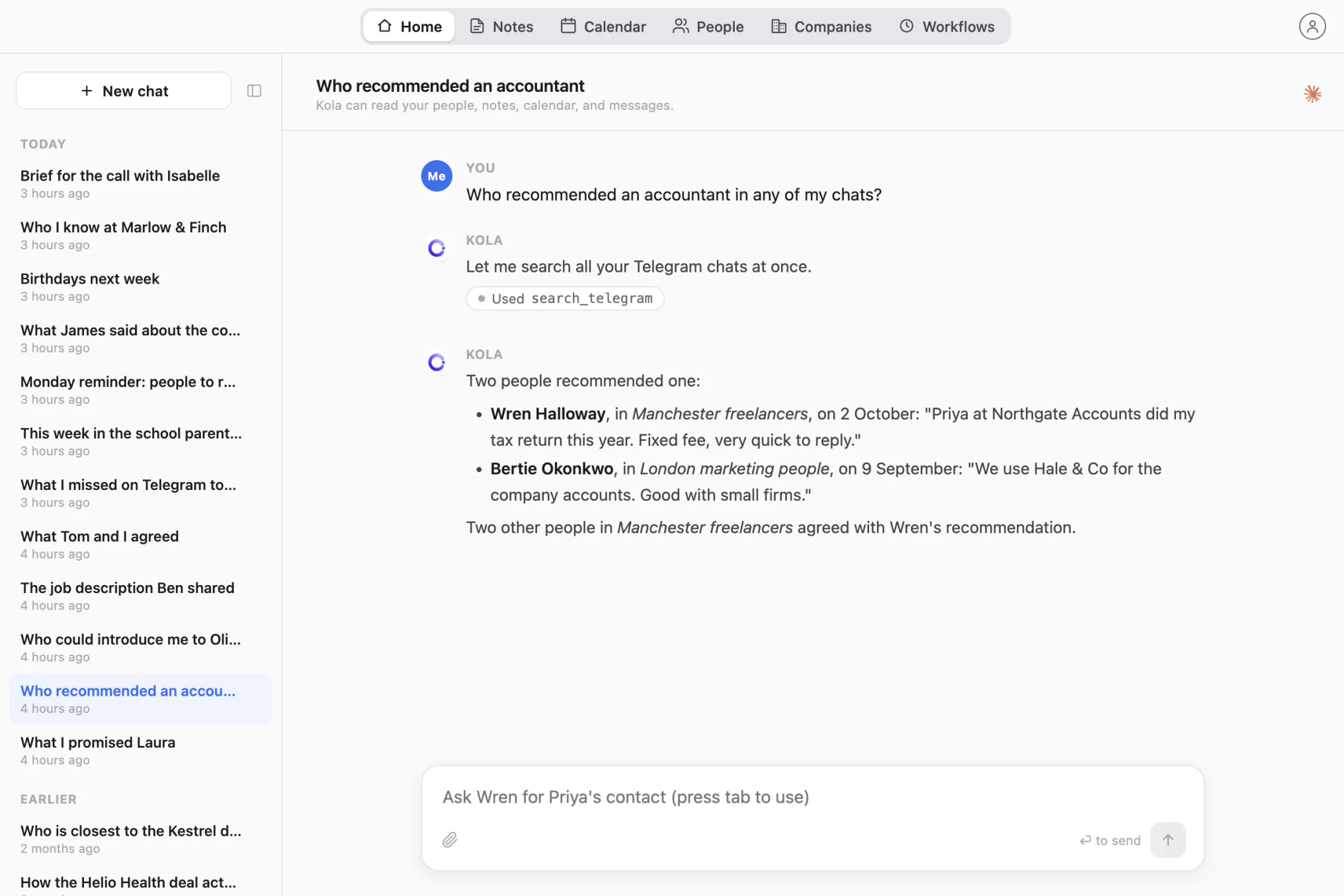
Who recommended an accountant in any of my chats?
Kola searches every Telegram chat at once for the word, groups included, and tells you who wrote it and where.
The people who can help you are often already in your Telegram. Kola shows who they are and how you know them. For the first message, see how to reconnect with someone professionally.
You ask Kola
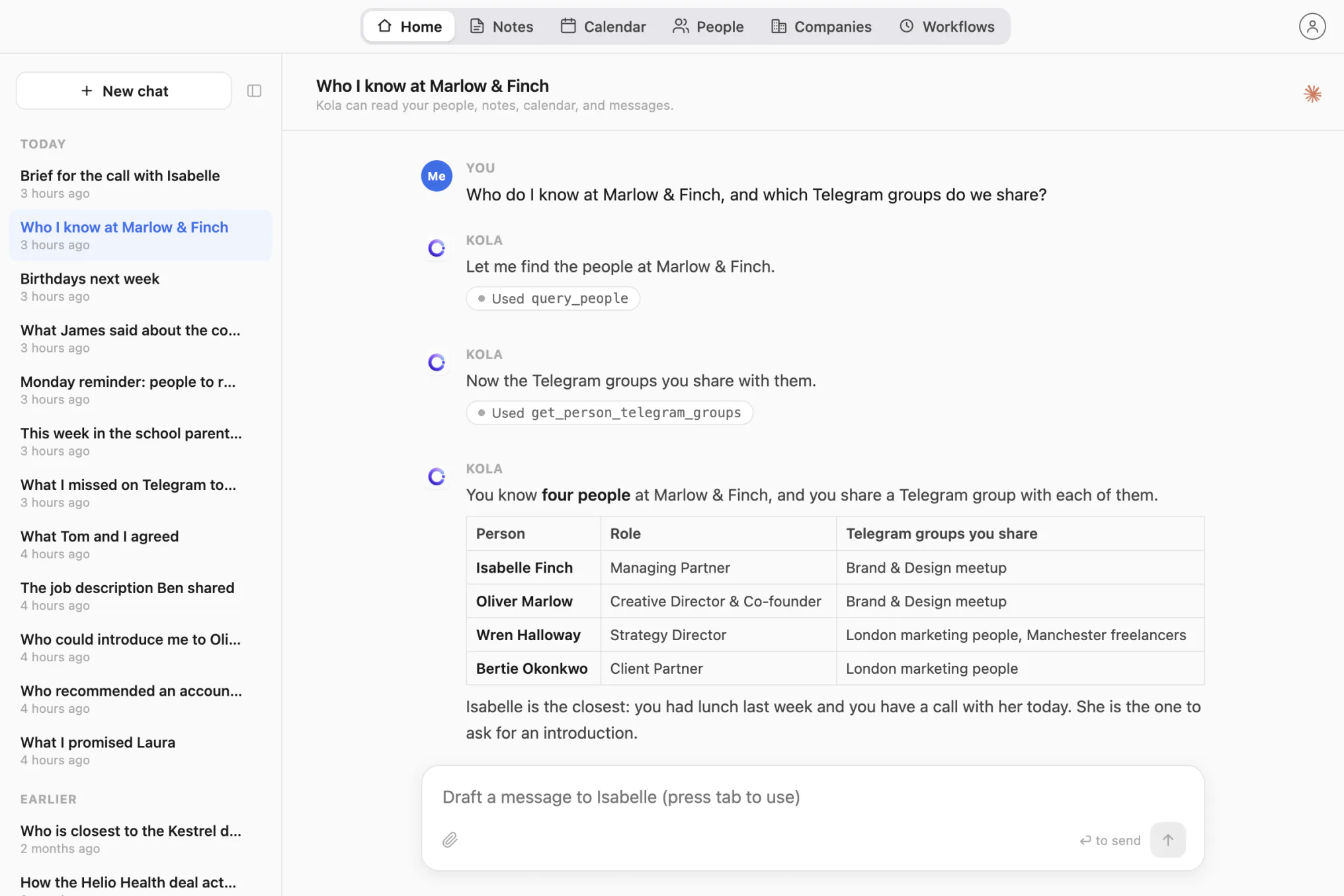
Who do I know at Marlow & Finch, and which Telegram groups do we share?
Kola lists the people at the company and the groups you are both in. That is usually the answer to “where do I know them from”.
You ask Kola
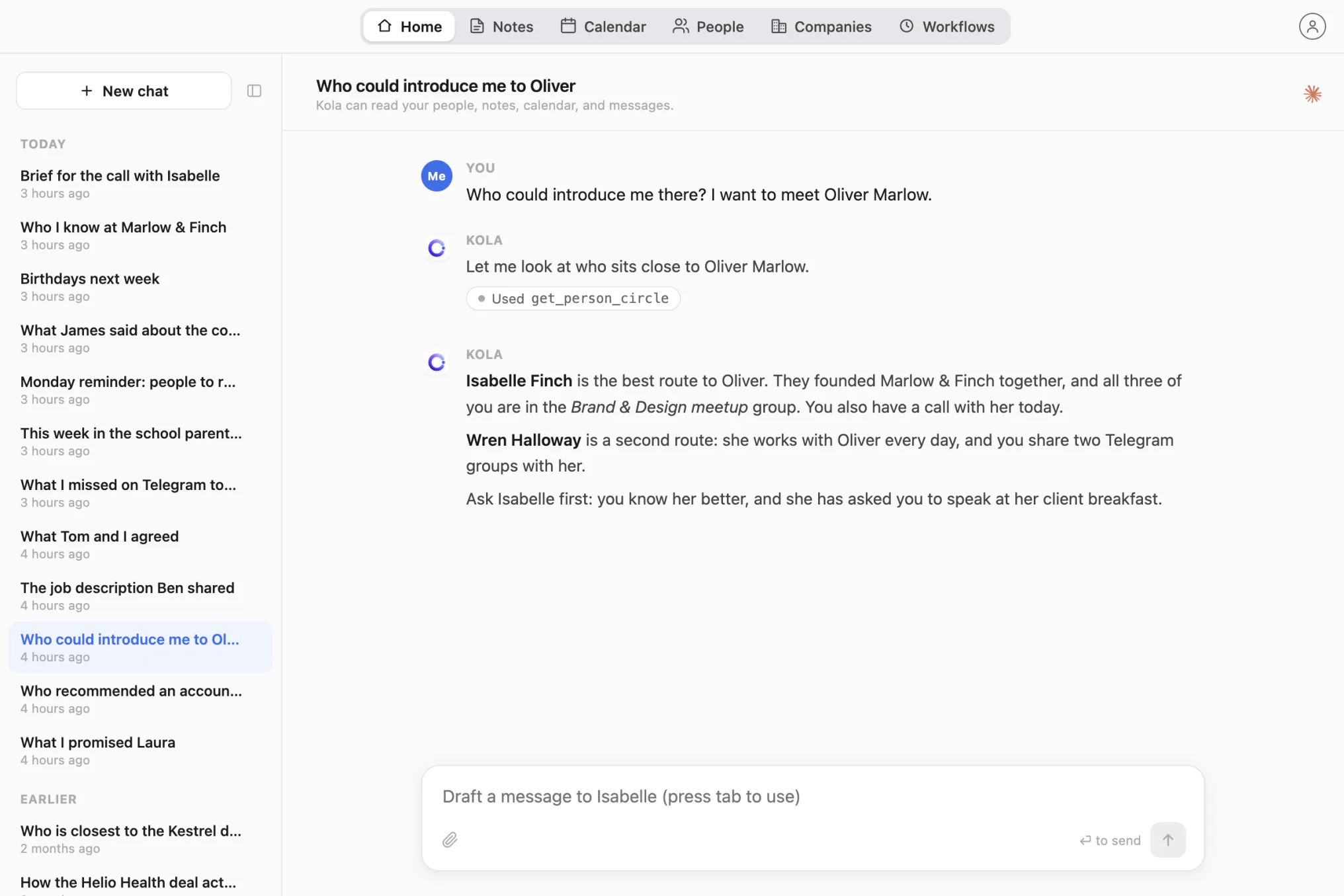
Who could introduce me there?
Kola shows who shares emails, meetings or Telegram groups with the person you want to meet.
You ask Kola
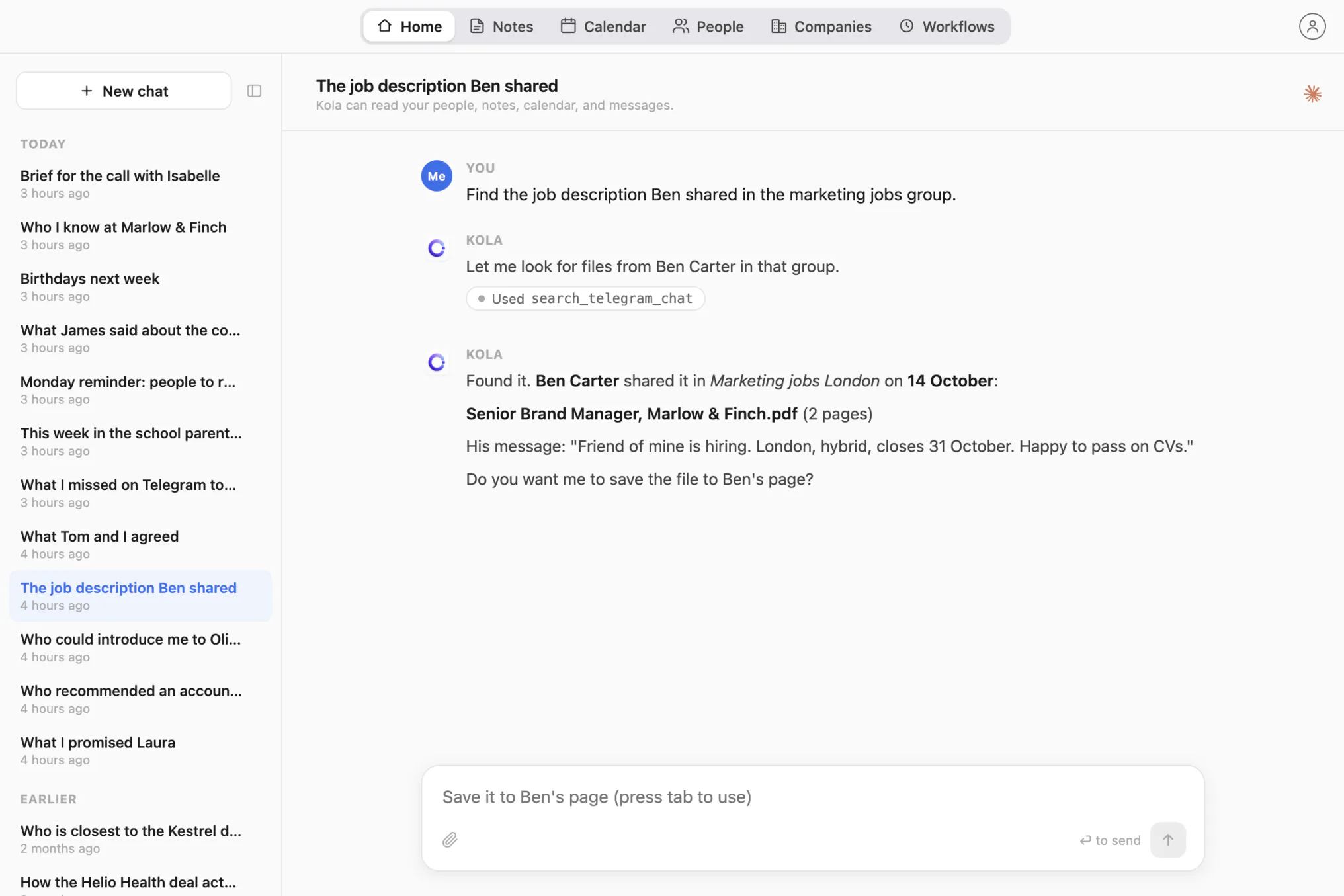
Find the job description Ben shared in the marketing jobs group
Kola finds the file Ben posted in the Telegram group and can save it to Ben’s page in Kola.
Before a call, you want the last conversation in front of you, wherever it happened. Kola puts Telegram, email and your calendar together for one person.
You ask Kola
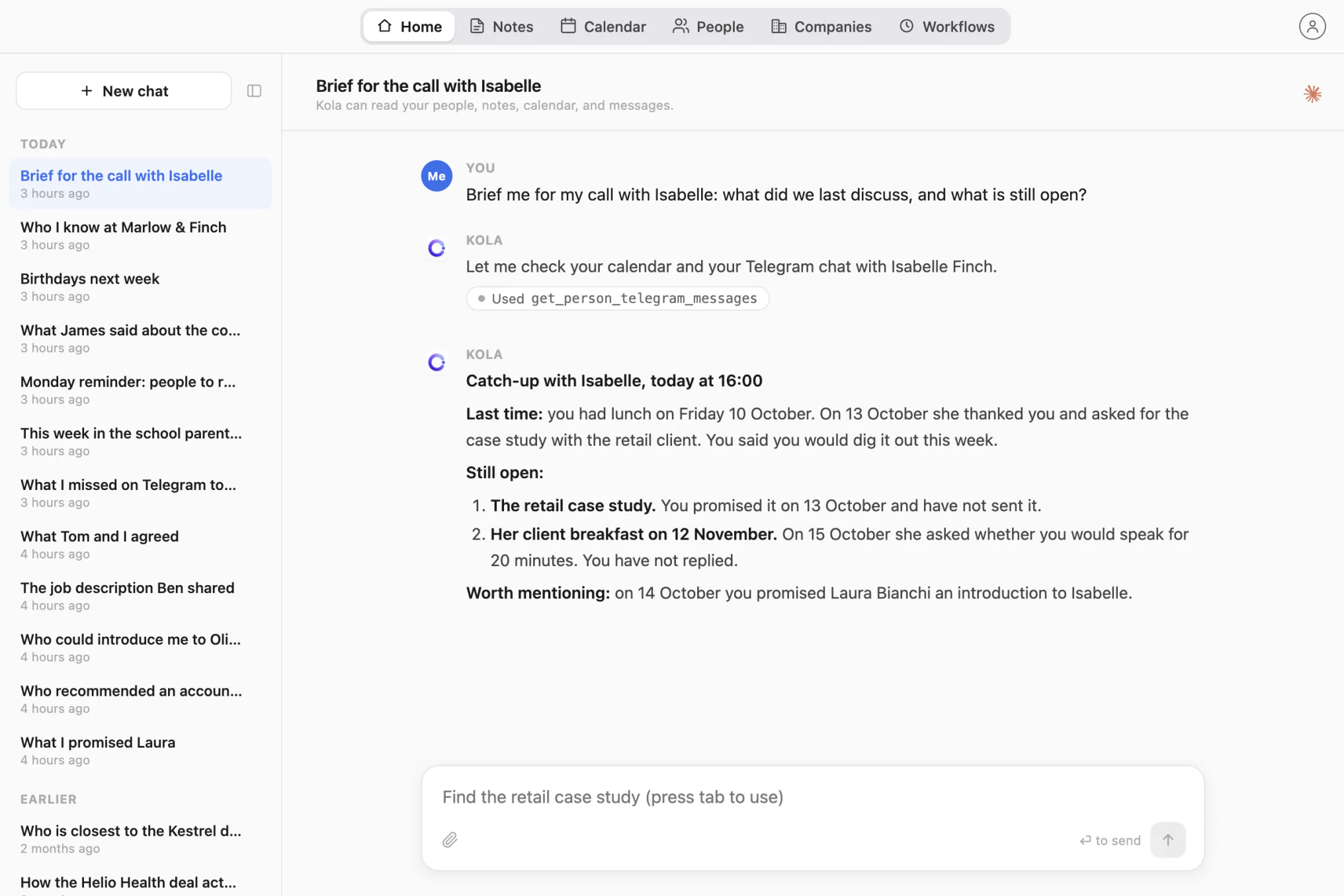
Brief me for my call with Isabelle: what did we last discuss, and what is still open?
Kola writes what you last discussed and what is still open. On the home screen, the Brief button next to each meeting does the same. After the call, Recap writes what happened.
Agreements often start on a call and continue in Telegram. When you record the call in Kola, Kola has both, so one question covers both.
You ask Kola
What did we agree on the call with Tom, and what did he write on Telegram after?
If you recorded the call in Kola, Kola reads its transcript and your later Telegram messages with Tom, and answers from both.
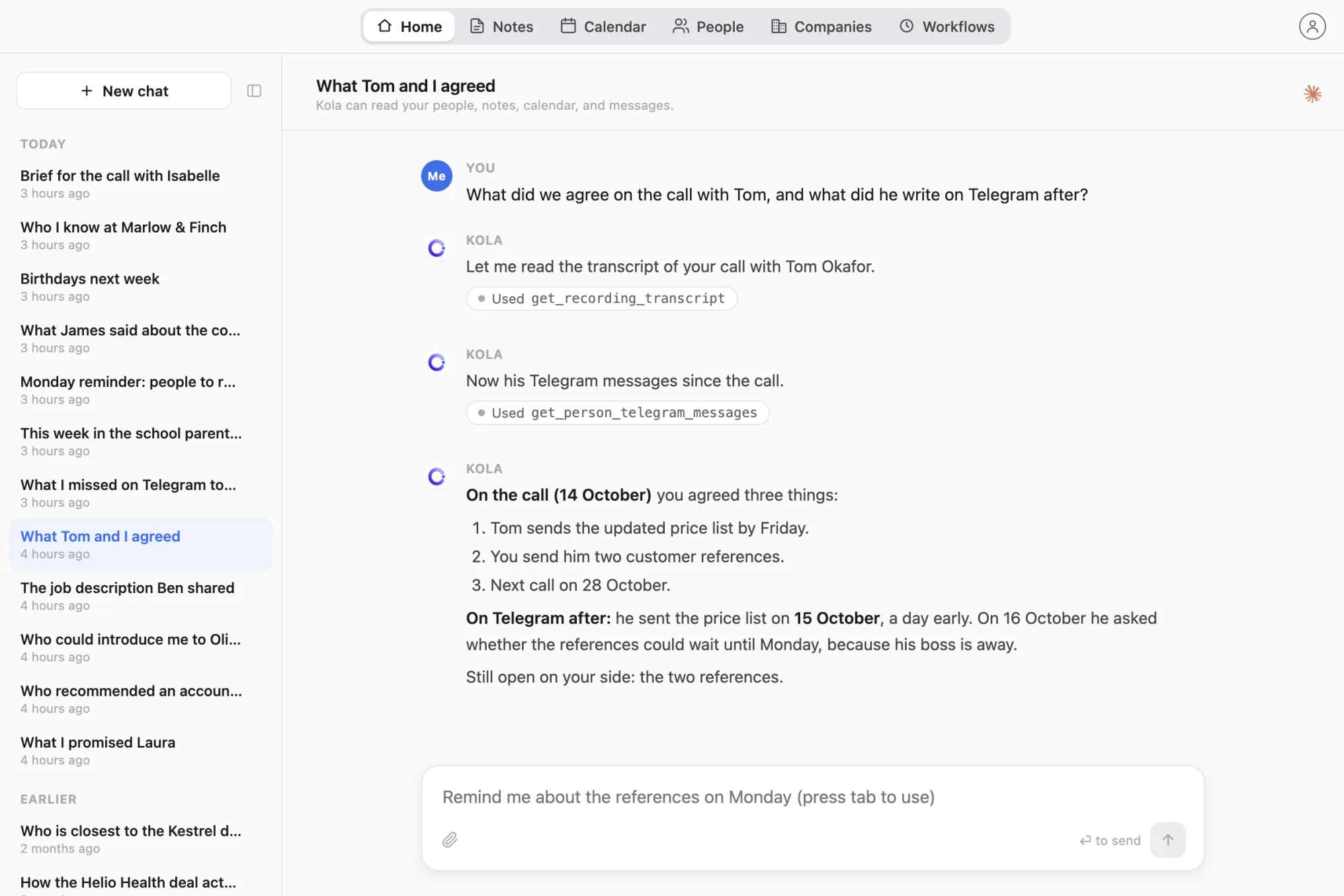
Kola records only the calls you choose to record. It transcribes them on your Mac with Whisper, and gives you a summary with the decisions and the things somebody promised to do.
Telegram moves faster than anyone can read. Kola tells you what matters and can check for you on a schedule.
You ask Kola
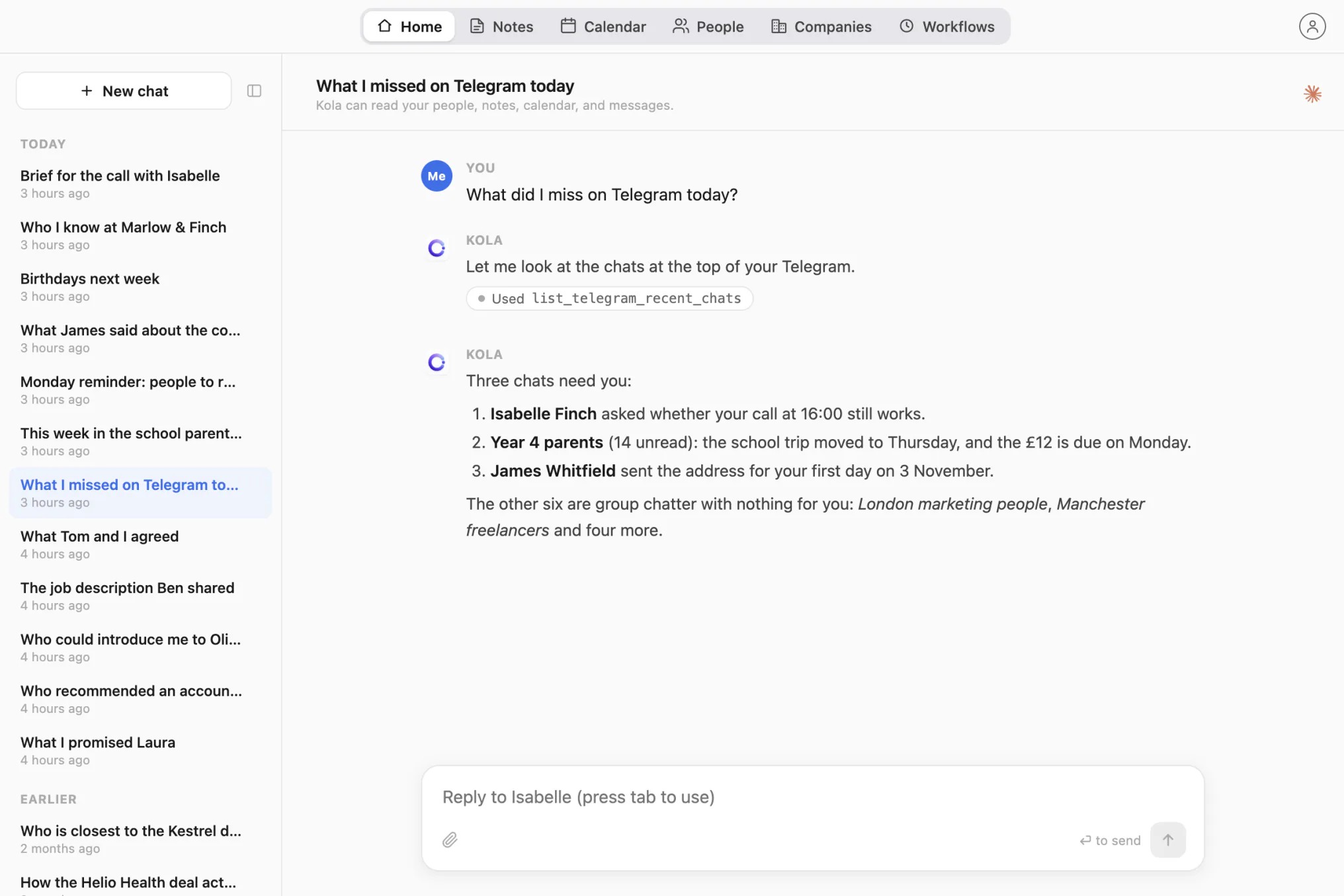
What did I miss on Telegram today?
Kola looks at the chats Telegram puts at the top and tells you which ones need you.
You ask Kola
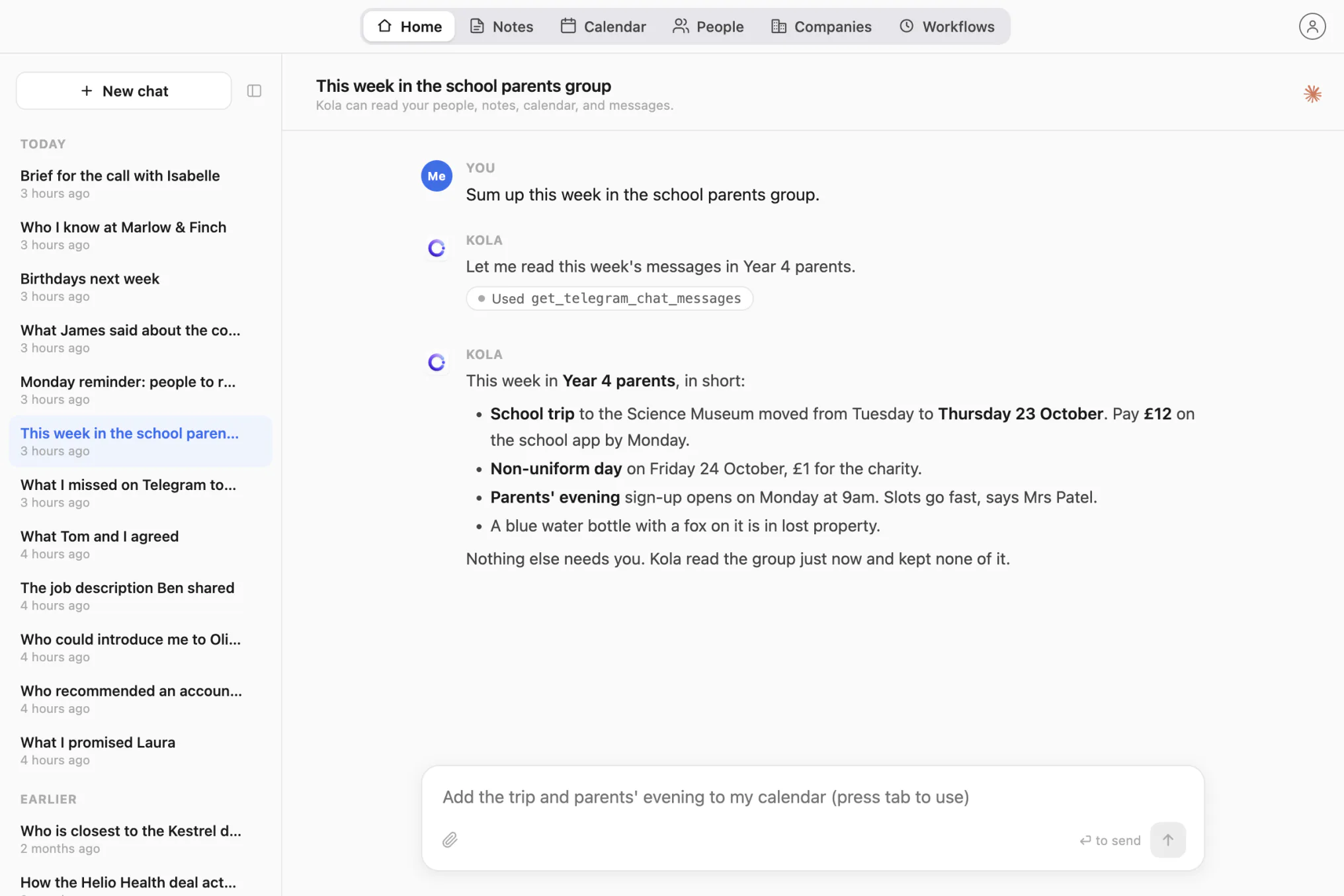
Sum up this week in the school parents group
Kola reads the Telegram group at that moment, or one topic inside it, and keeps none of its text.
You ask Kola
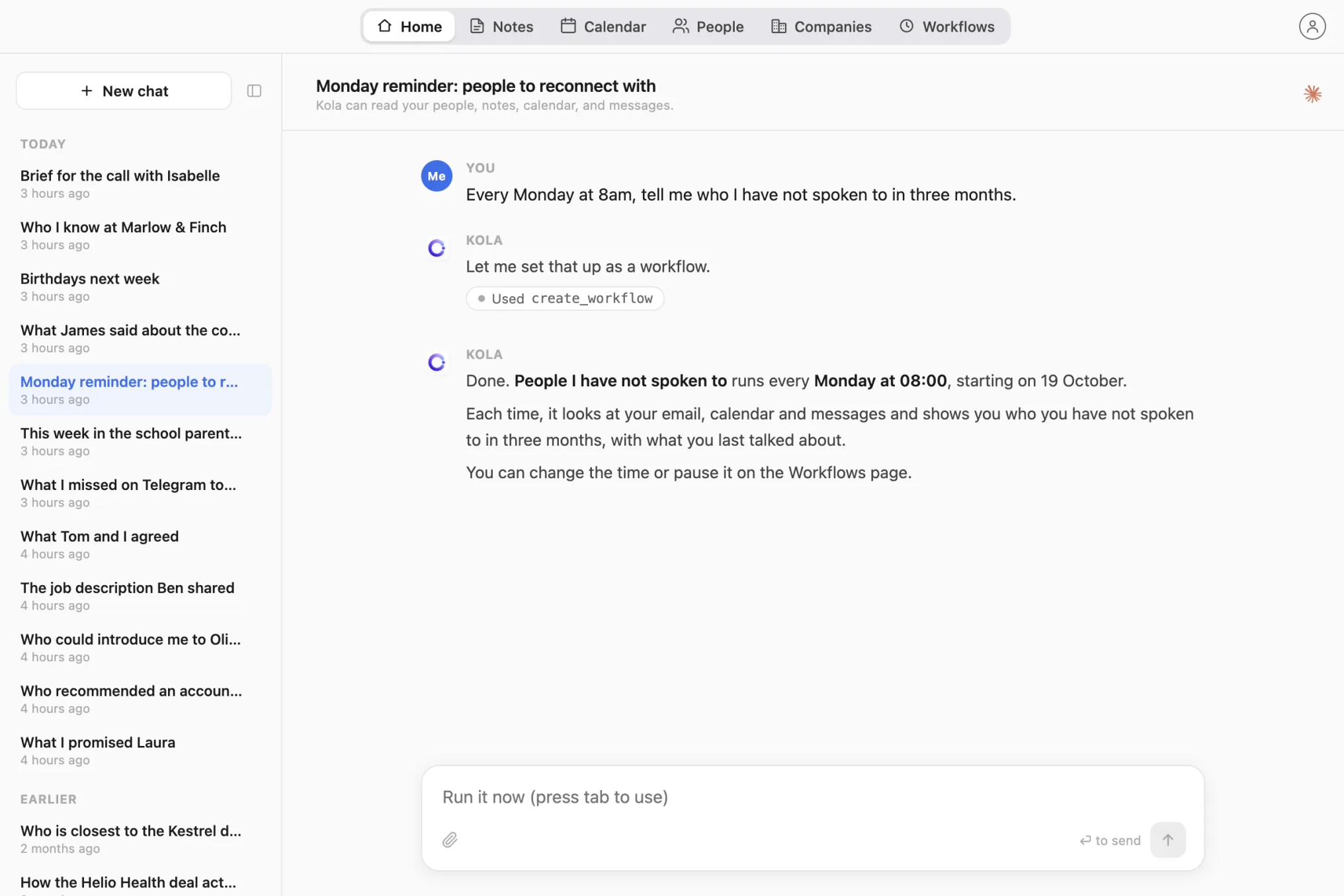
Every Monday at 8am, tell me who I have not spoken to in three months
Kola turns the instruction into a workflow that runs on its own and shows you what it found.
You ask Kola
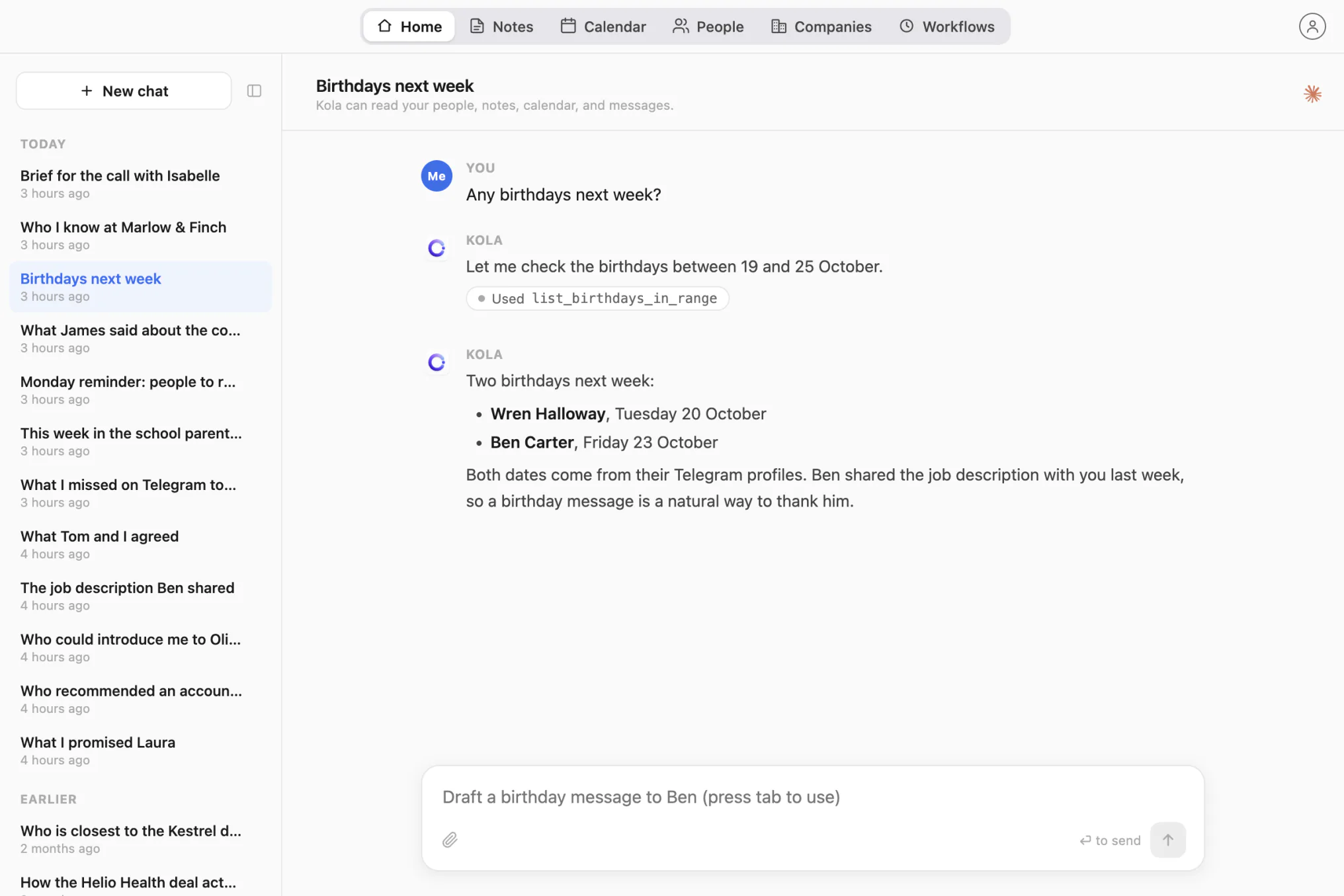
Any birthdays next week?
Kola reads birthdays from Telegram profiles and keeps them on each person’s page.
There are two other ways, and both suit a narrower need. An export is a manual snapshot. A Telegram MCP server is a tool for developers.
Your chats stay on your Mac, and only the question and the messages needed to answer it go to the AI you chose. Kola keeps the newest 200 messages of each direct chat and checks for new ones every 15 minutes. It reads groups live when you ask and does not keep their text.
Perennify, the company behind Kola, runs no server that receives your chats, unless you switch on remote access: then each question from ChatGPT or Claude on the web, and its answer, pass through mcp.getkola.app on the way. Three features you switch on yourself send data out: the AI assistant, contact enrichment and profile photos. Kola’s security page explains each one.
Can ChatGPT read my Telegram messages?
ChatGPT cannot read your Telegram messages by itself. It needs your messages brought to it: an exported chat you upload, a Telegram MCP server, or an app such as Kola that reads Telegram on your Mac and answers with your ChatGPT plan.
Is it safe to let an AI read my Telegram?
Letting an AI read your Telegram is as private as the path the messages take. With Kola, the chats stay on your Mac and no Kola server receives them, unless you switch on remote access. The AI you chose still receives each question and the messages needed to answer it, so ask about the chats you are comfortable sharing with it.
Does Kola work on Windows or on my phone?
Kola works only on a Mac with Apple Silicon. There is no Windows version and no phone app. Your Telegram account stays the same, so you keep using Telegram on your phone as before.
Install Kola and connect an account. Kola builds your contacts from there.