What was said is one of the things Kola knows about a person, beside everything else.
Choose Limitless if
Choose Kola if
Limitless captures your conversations and gives them back to you afterwards.
Kola records the calls you start, and reads the accounts you connect, then keeps both against the people involved.
| What | Limitless | Kola |
|---|---|---|
| Made for | Capturing what was said | Remembering the people who said it |
| Reads | Your conversations | The accounts you connect, plus the calls you record |
| You end up with | The conversation, back | A page per person that keeps updating |
| Who it suits | People who want a record of what was said | People who want that beside the rest of the relationship |
Recording is per call
You start a recording. Transcription runs on your Mac with Whisper, and the transcript attaches to whoever was on the call.
The meeting is one signal
Email, calendar, messengers and your own notes are read too, so what Kola knows about someone is not only what was said out loud.
The index is local
One file on your Mac, and no server that receives it. The features that do send data out are named on the security page.
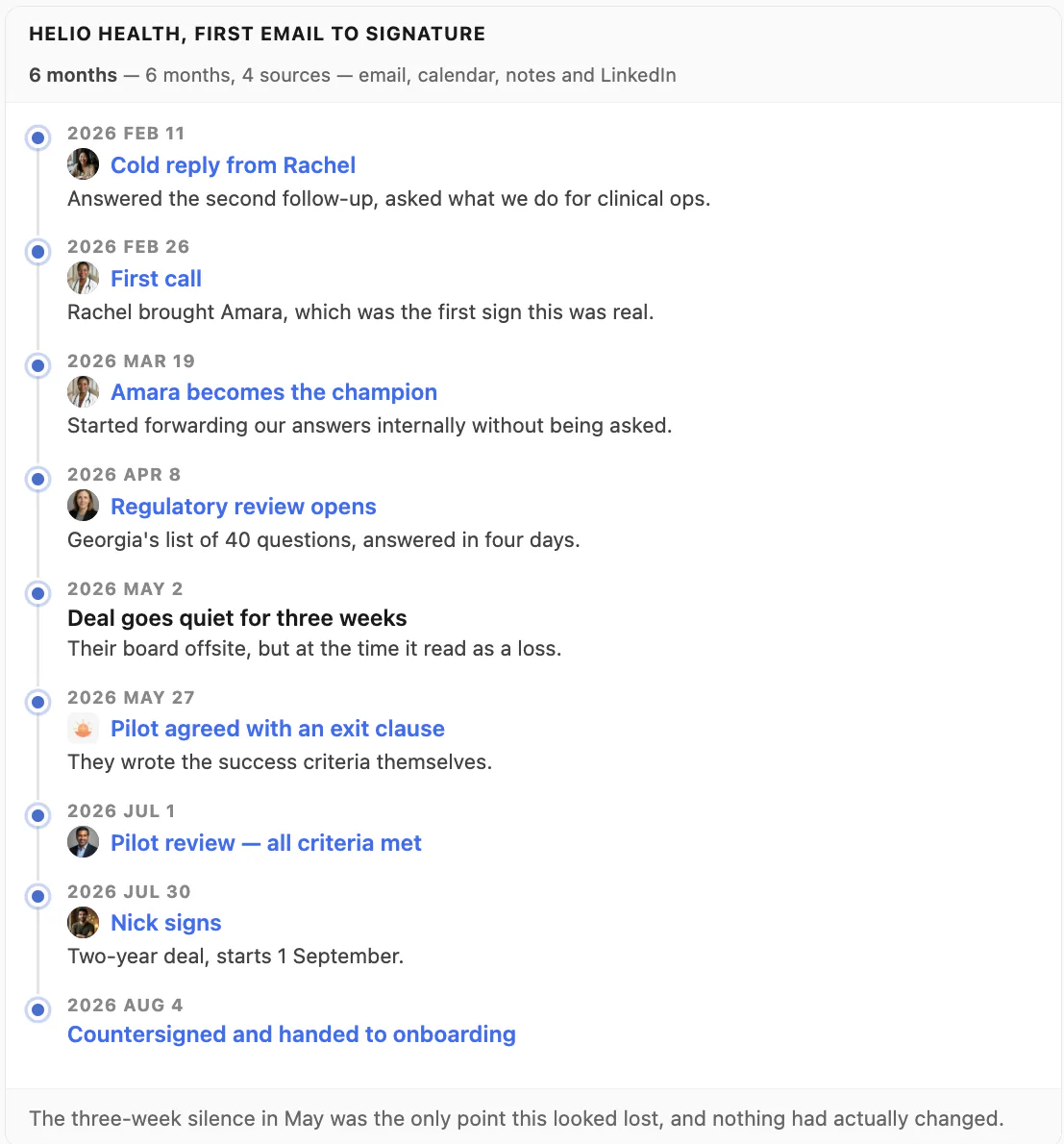
The call sits in a longer story.
Kola does not import from another tool, and it does not need to. It reads the same accounts you already connected elsewhere and builds its own picture from them.
Install Kola.
One download, signed and notarized by Apple. Nothing to export from Limitless first.
Connect an account.
Start with the mailbox and calendar you live in. Kola reads them in the background and fills itself in.
Keep both for a while.
Nothing forces a decision. Run them side by side and keep whichever earns its place.
Does Kola listen in the background?
No. You start a recording. Transcription then runs on your Mac.
What else does it read?
Mail, calendar, messengers, your notes and the calls you record. Each account is connected on its own.
Do I have to import anything to get started?
No. Connect the same accounts you already use and Kola builds itself from them. There is nothing to export from anywhere else first.
Which accounts can it read?
Gmail, Outlook and Apple Mail, Google and Outlook calendars, Google and Apple Contacts, Telegram, WhatsApp, Slack, LinkedIn, Instagram and Facebook. Connect only the ones you use.
What does it need to run?
An Apple Silicon Mac. Kola is signed and notarized by Apple, so it opens with a normal double-click.
Install Kola and connect an account. Kola builds your contacts from there.