Dex reminds you to keep in touch. Kola builds the list first.
Choose Dex if
Choose Kola if
Dex is a relationship manager. You keep a list of people and it prompts you to stay in touch with them.
Kola starts at the other end. The list is the part it does for you.
| What | Dex | Kola |
|---|---|---|
| Made for | Reminding you to keep in touch | Remembering the people you meet |
| Reads | The accounts you connect and the list you keep | Email, calendar, messengers, recorded calls and your notes |
| You end up with | A nudge on a schedule | An answer whenever you ask, with names |
| Who it suits | People who work a contact list | People who would rather not keep one |
The list builds itself
People arrive from mail, calendar, messengers and calls, and Kola works out when two of them are the same person.
It knows who has gone quiet
Last contact is worked out from the messages and meetings you actually had, not from a reminder you had to set up.
Ask rather than be reminded
Ask "who have I not spoken to in three months" and get an answer with names, whenever you want it.
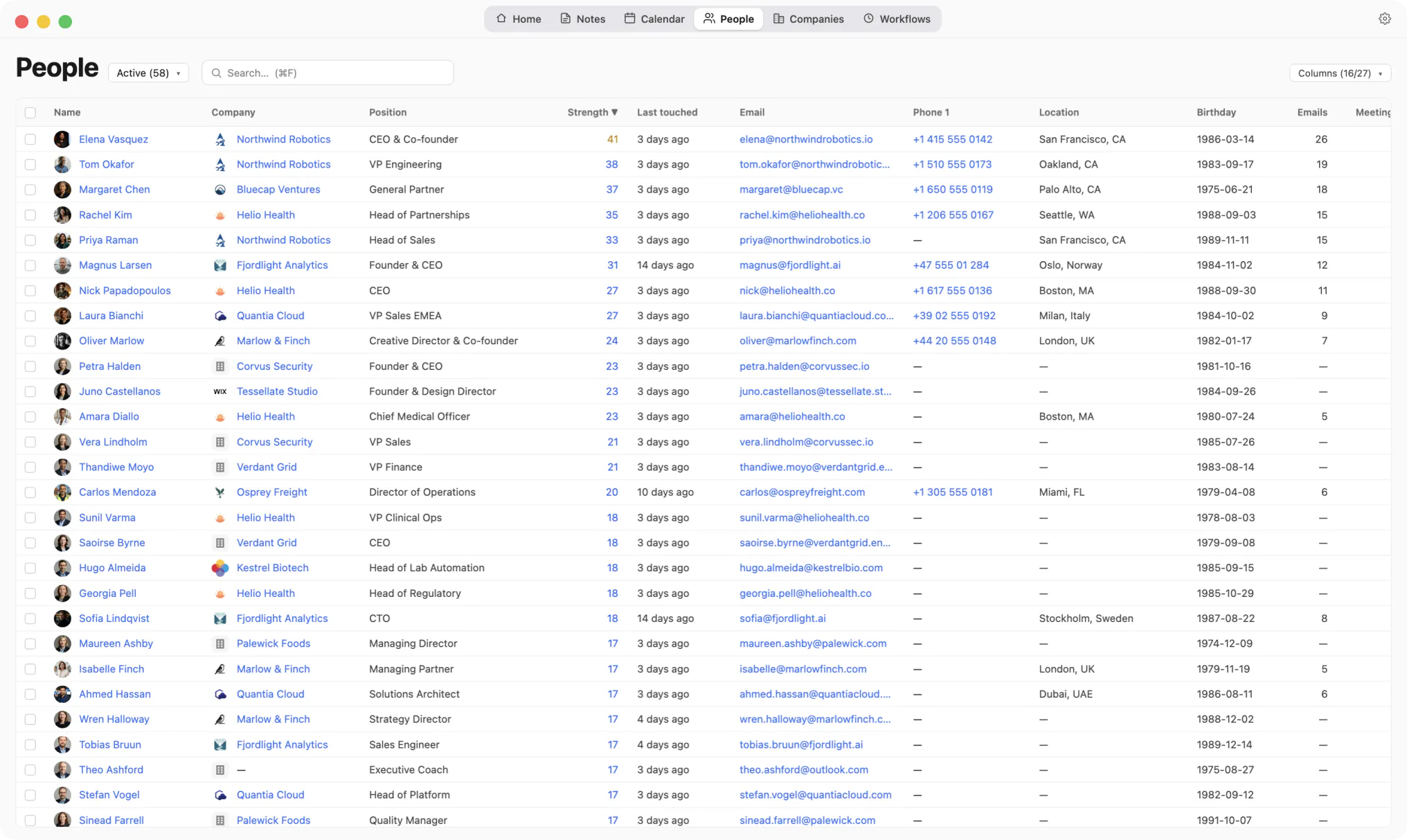
Last touched comes from the messages and meetings you actually had.
Kola does not import from another tool, and it does not need to. It reads the same accounts you already connected elsewhere and builds its own picture from them.
Install Kola.
One download, signed and notarized by Apple. Nothing to export from Dex first.
Connect an account.
Start with the mailbox and calendar you live in. Kola reads them in the background and fills itself in.
Keep both for a while.
Nothing forces a decision. Run them side by side and keep whichever earns its place.
Does Kola remind me to follow up?
It does not nudge you on a schedule. You can ask who has gone quiet whenever you want, or write a workflow that checks weekly and tells you what it found.
Do I have to add people by hand?
No. They arrive from the accounts you connect. You can still add and edit anyone yourself.
Do I have to import anything to get started?
No. Connect the same accounts you already use and Kola builds itself from them. There is nothing to export from anywhere else first.
Which accounts can it read?
Gmail, Outlook and Apple Mail, Google and Outlook calendars, Google and Apple Contacts, Telegram, WhatsApp, Slack, LinkedIn, Instagram and Facebook. Connect only the ones you use.
What does it need to run?
An Apple Silicon Mac. Kola is signed and notarized by Apple, so it opens with a normal double-click.
Install Kola and connect an account. Kola builds your contacts from there.