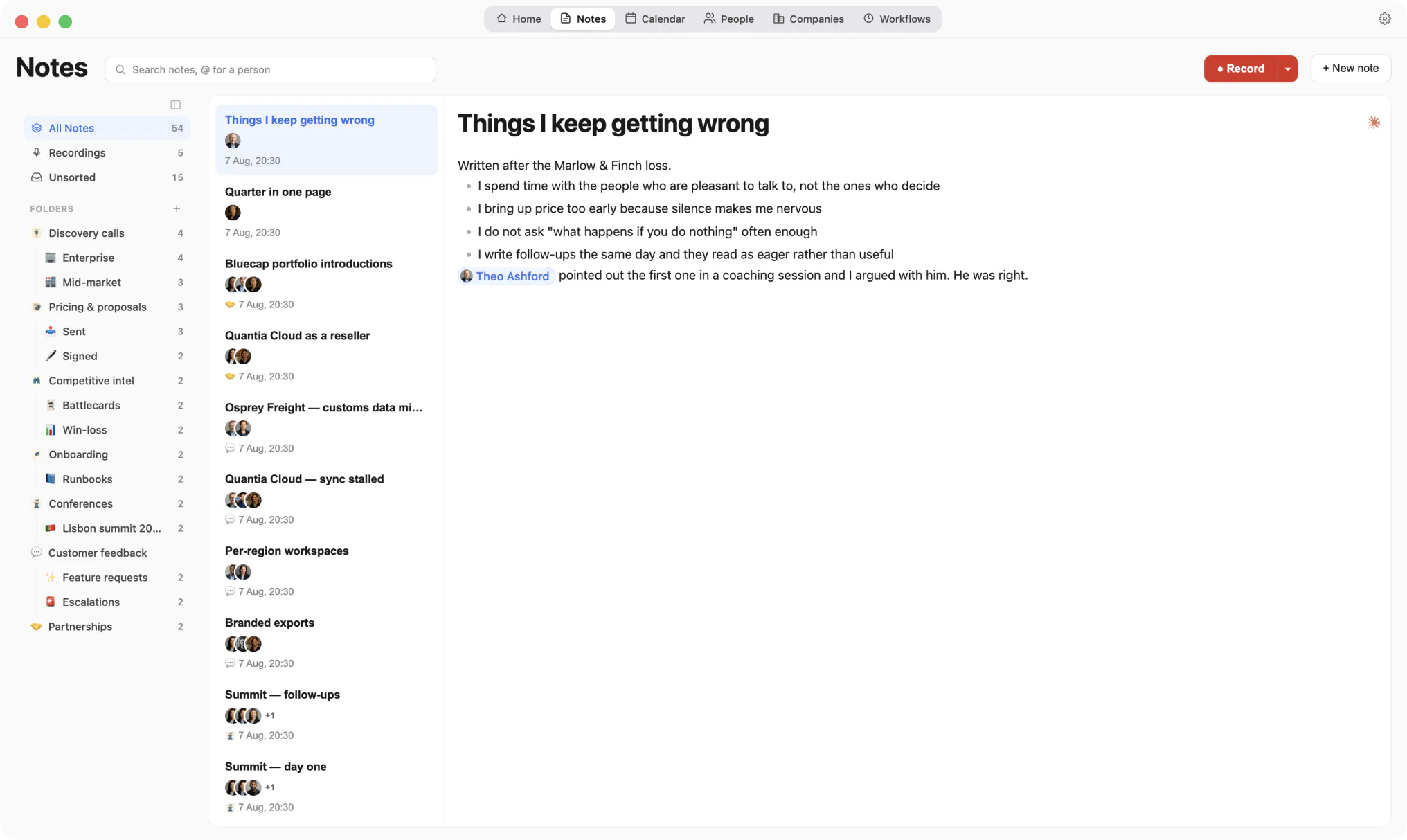
Kola reads what you already produce, remembers the people in it, and answers when you ask. Nothing here asks you to type your network in.
Chat
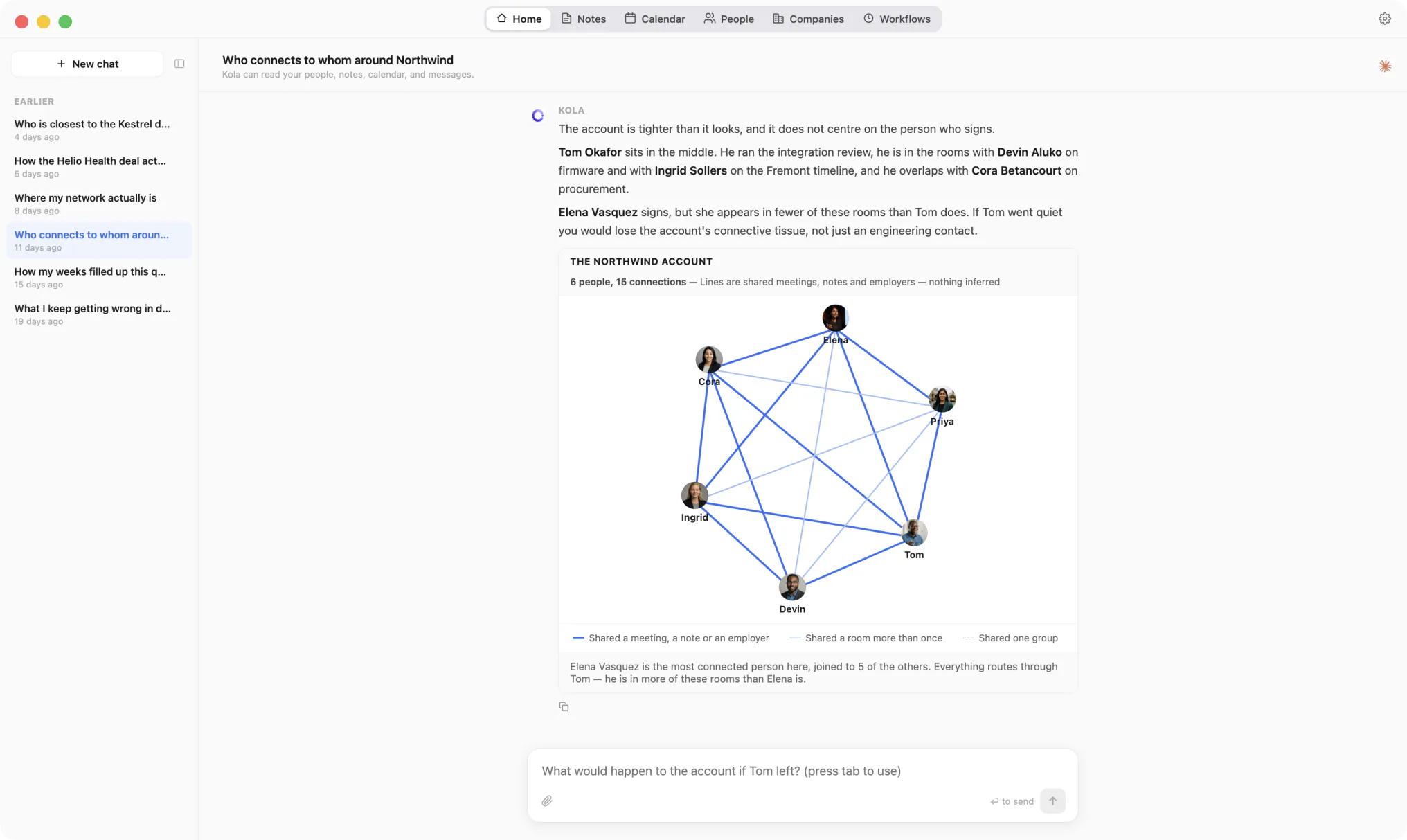
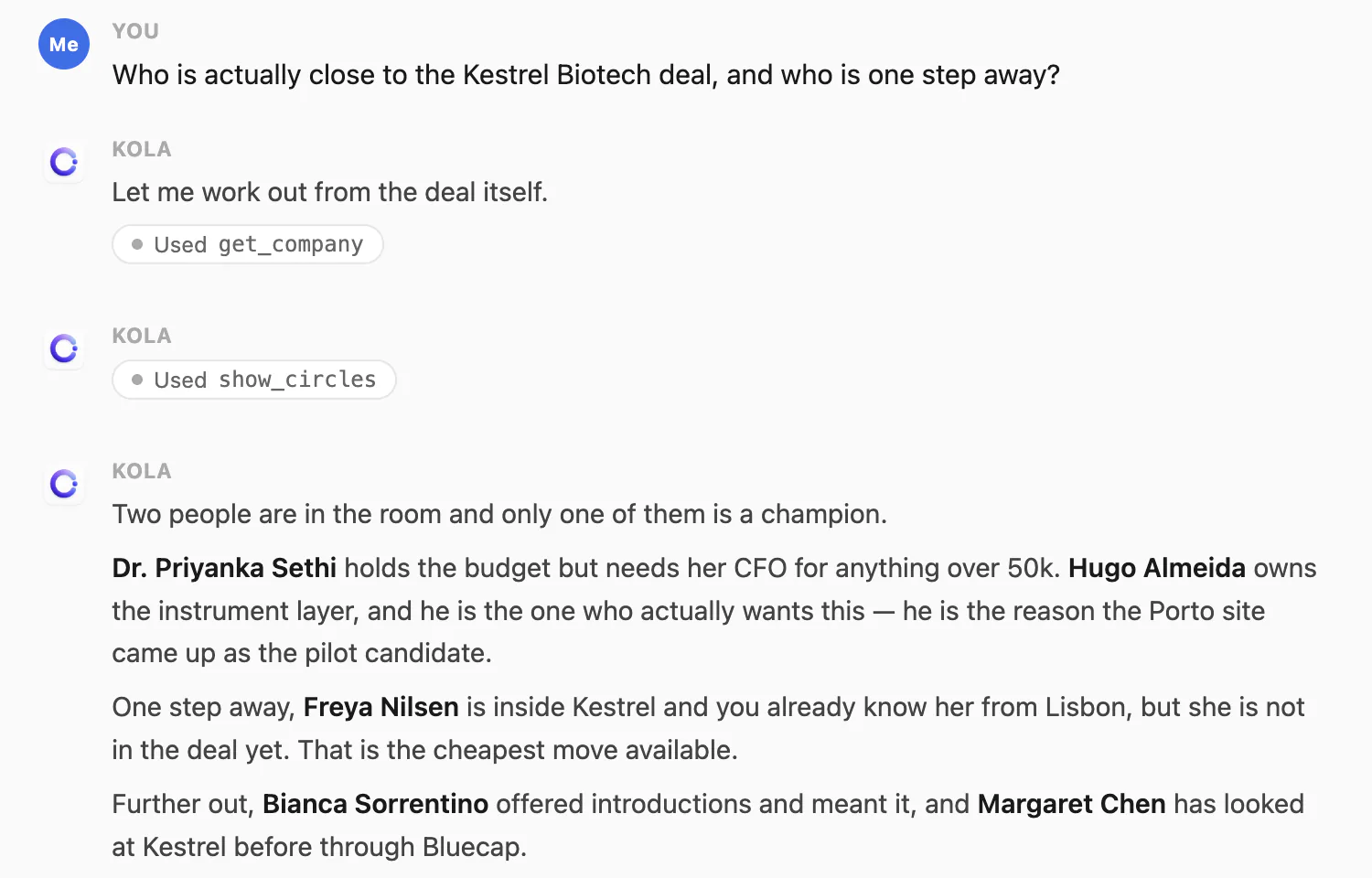
Type the question the way you would say it out loud. Kola reads your people, notes, calendar and messages, then answers with names and says where each one came from.
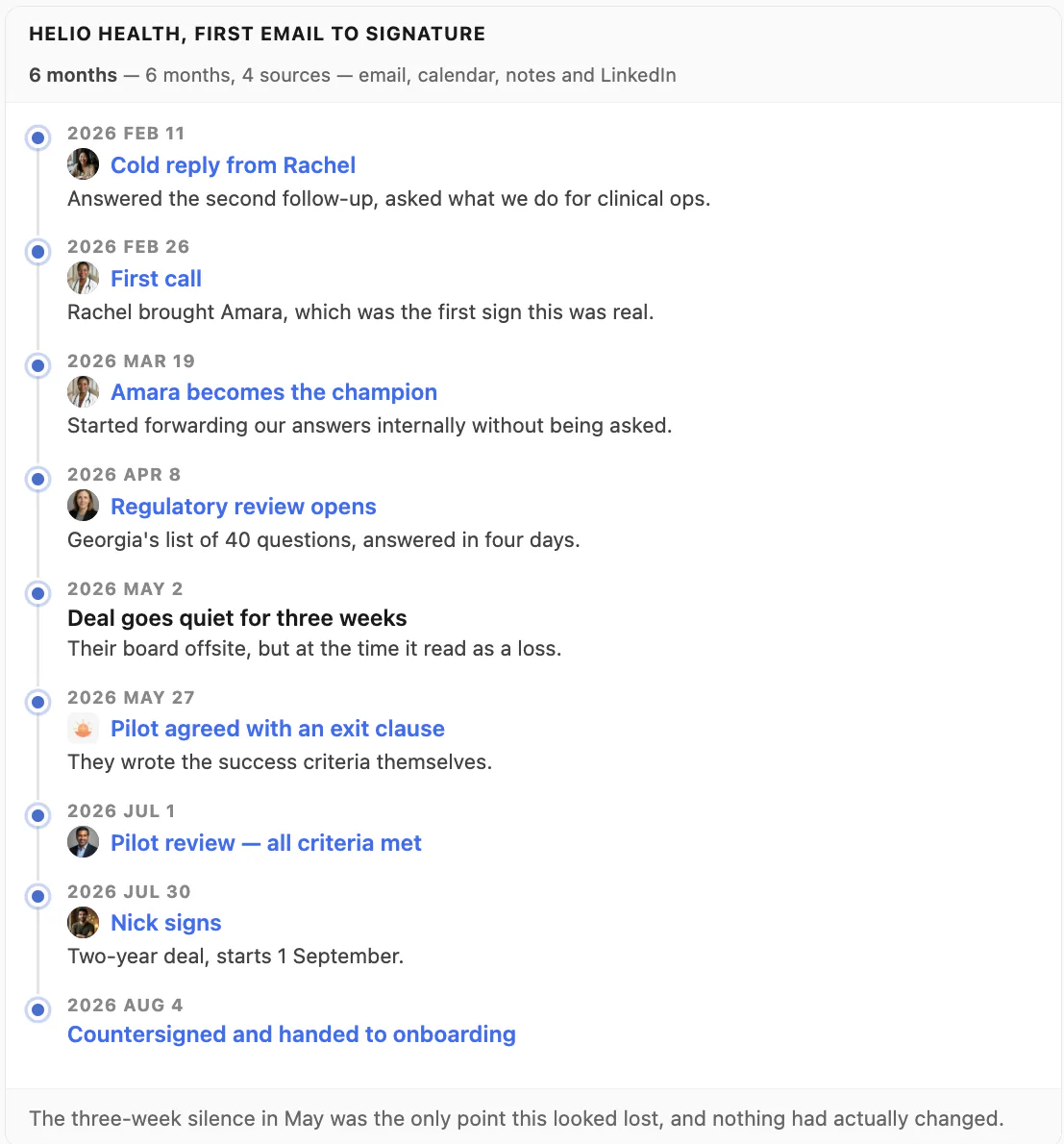
When a picture says it better, Kola draws one: rings by distance from a deal, a network of who overlaps with whom, a timeline, a map. Every face on a chart is a real record, so clicking it opens that person.
Every line is a shared meeting, note or employer. Nothing is inferred.
Meeting recorder
Kola records and transcribes your calls on your Mac, with Whisper running locally. Afterwards you get a summary with the decisions and the things somebody promised to do.
A transcript is attached to the people who were in the room, so it turns up later when you ask about them rather than sitting in a folder you forget.
People
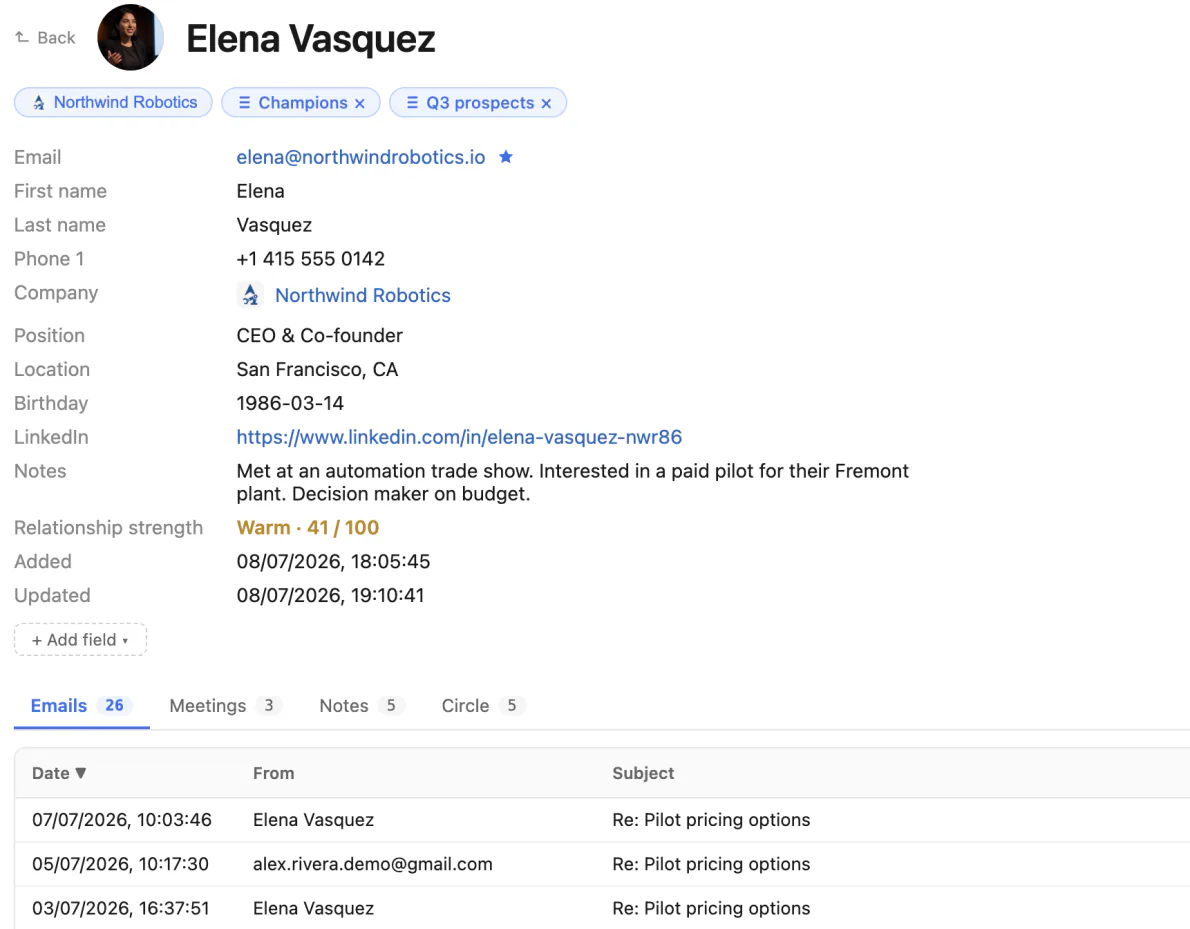
Every email, meeting and note about someone sits on one page. So does the part you would never write down: how strong the relationship is, and how long it has been.
Kola works out that one person is one person, even when they reach you from a work address, a personal address, Telegram and WhatsApp under four different spellings of their name.
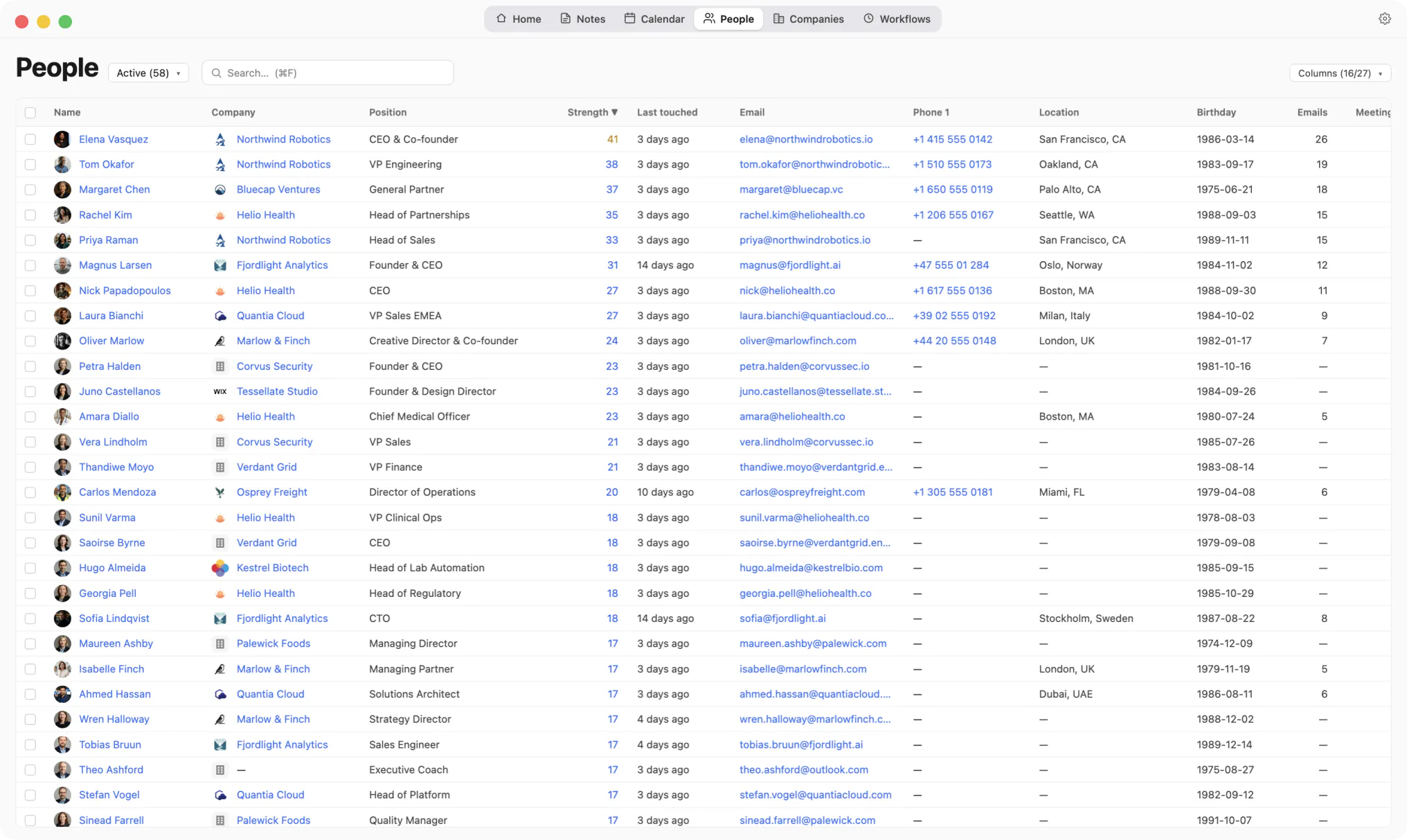
Company, position, relationship strength, last touched, birthday, email count. Filled in from what you already had.
Write a note, mention a person, and it attaches to their page. Folders keep the rest tidy. Recordings become notes too, so a call and a thought about a call live in the same place.
The people on a note are chips, not text. Clicking one opens that person.
Workflows
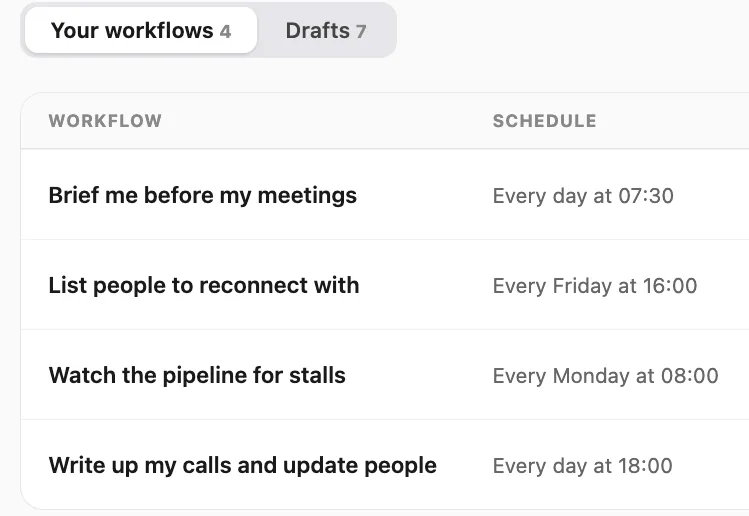
Write an instruction in a sentence and give it a time. "Every Monday at 07:30, tell me who I have not spoken to in three months." Kola runs it on its own and shows you what it found.
Every change a run makes is recorded with who did it and why, so you can read the diff afterwards and put any field back the way it was.
Kola runs a Model Context Protocol server on your Mac. Any assistant that speaks MCP can search your people, brief you before a meeting and save a new contact, and every one of those lookups is answered by the app on your machine.
ChatGPT and Claude both work this way. Ask there instead of in Kola, and the answer comes from your own records.
Does Kola record my meetings?
Yes. Recording and transcription run on your Mac, and the transcript attaches to the people who were on the call.
Do I have to add people by hand?
No. They arrive from the accounts you connect, and Kola works out when two records belong to the same person. You can still add and edit anyone yourself.
Can I add my own fields?
Yes. Custom fields are yours. Kola never writes vendor data into them and never overwrites what you typed.
What if Kola changes something I did not expect?
Every write is recorded with who made it and why, whether that was you, a workflow or Kola itself. Any field can be put back the way it was.
Can I use it from ChatGPT or Claude?
Yes. Kola answers them from your Mac. Those services receive the question and the records needed to answer it.
Install Kola and connect an account. Kola builds your contacts from there.