Notion is a workspace you fill in. Kola fills itself from the accounts you connect.
Choose Notion if
Choose Kola if
Notion is a workspace. You design the database and you keep it filled in.
Kola makes the opposite bargain. There is no schema to design and no rows to maintain.
| What | Notion | Kola |
|---|---|---|
| Made for | A workspace you design | Remembering the people you meet |
| Reads | What you type into it | Email, calendar, messengers, recorded calls and your notes |
| You end up with | The database you built | A page per person you did not have to build |
| Who it suits | People who like building the system | People who would rather not |
Keep Notion for documents. Let Kola keep the people in them.
It fills itself
People arrive from your mail, calendar, messengers and calls. There is no data entry and no fields to keep up.
Organised by person
Every email, meeting and note about someone collapses onto one page for that person, without you filing anything.
You can still add your own fields
Custom fields are yours. Kola never writes vendor data into them and never overwrites what you typed.
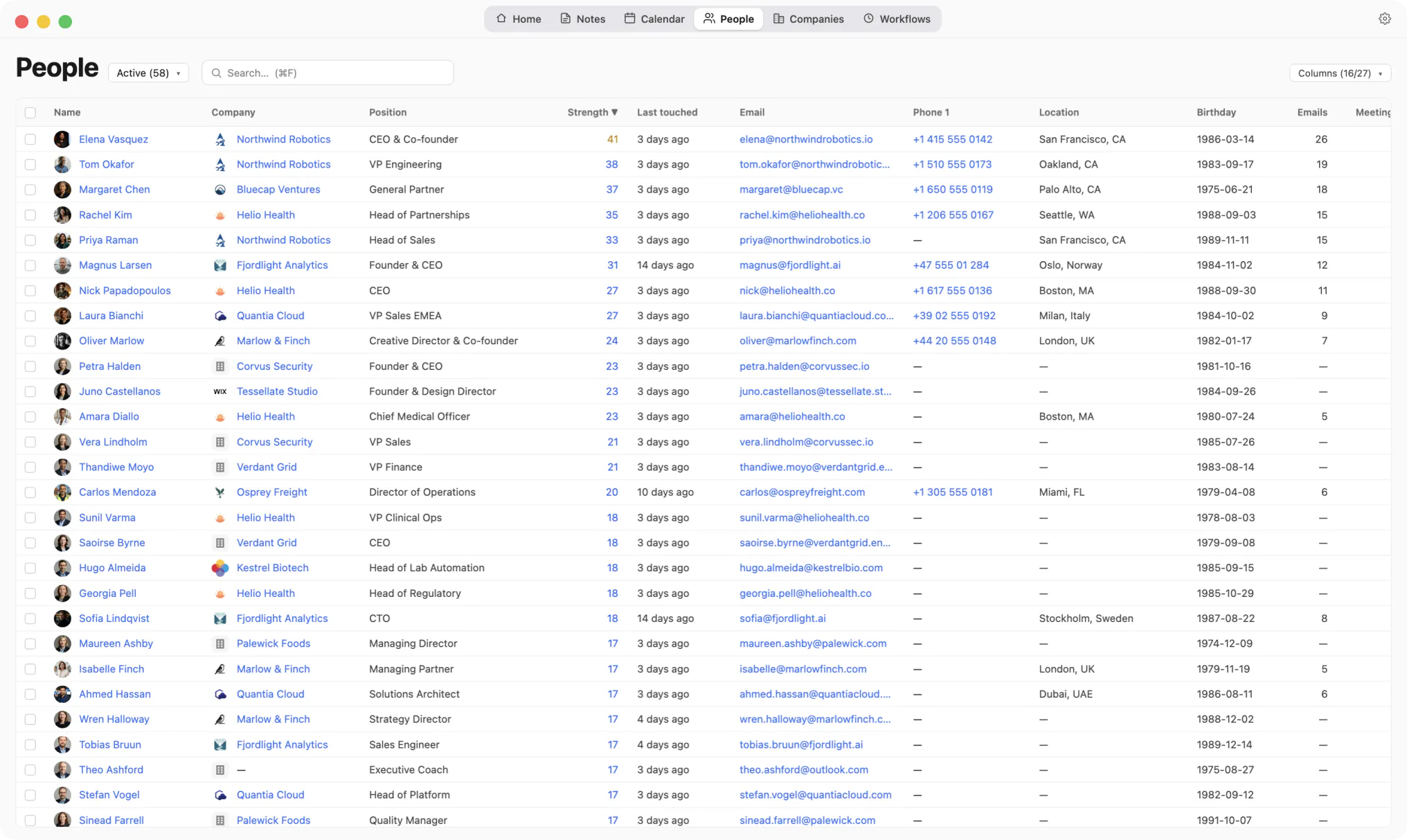
This table was not typed in. It arrived.
Kola does not import from another tool, and it does not need to. It reads the same accounts you already connected elsewhere and builds its own picture from them.
Install Kola.
One download, signed and notarized by Apple. Nothing to export from Notion first.
Connect an account.
Start with the mailbox and calendar you live in. Kola reads them in the background and fills itself in.
Keep both for a while.
Nothing forces a decision. Run them side by side and keep whichever earns its place.
Can Kola read my Notion?
No. Kola reads mail, calendar, messengers, recorded calls and its own notes. Notion is not one of its sources.
Can I still add my own fields?
Yes. Custom fields are yours. Kola never writes vendor data into them and never overwrites what you typed.
Do I have to import anything to get started?
No. Connect the same accounts you already use and Kola builds itself from them. There is nothing to export from anywhere else first.
Which accounts can it read?
Gmail, Outlook and Apple Mail, Google and Outlook calendars, Google and Apple Contacts, Telegram, WhatsApp, Slack, LinkedIn, Instagram and Facebook. Connect only the ones you use.
What does it need to run?
An Apple Silicon Mac. Kola is signed and notarized by Apple, so it opens with a normal double-click.
Install Kola and connect an account. Kola builds your contacts from there.