A pipeline is built around deals. Kola is built around the people you personally know.
Choose a CRM if
Choose Kola if
A CRM is built around a pipeline: stages, owners, a forecast, and a team looking at the same board.
Kola is not that and does not try to be. It keeps the network you carry, whether or not there is a deal attached to it.
| What | a CRM | Kola |
|---|---|---|
| Made for | A pipeline a team works | The network one person carries |
| Reads | What somebody types in after a call | The accounts you connect |
| You end up with | Stages, owners and a forecast | A page per person, updated on its own |
| Who it suits | A sales team | One person, deal or no deal |
Keep the pipeline your team works. Kola sits beside it and remembers the people.
Nothing to log after a call
A pipeline is only as current as the last person who updated it. Kola reads what you already produce, so there is no call to log afterwards.
It keeps the people a pipeline drops
Someone with no open deal is still someone you know. Old colleagues, investors, the person who introduced you to both.
It is yours, not the company's
The index is a file on your own Mac, so what you know follows you rather than the seat.
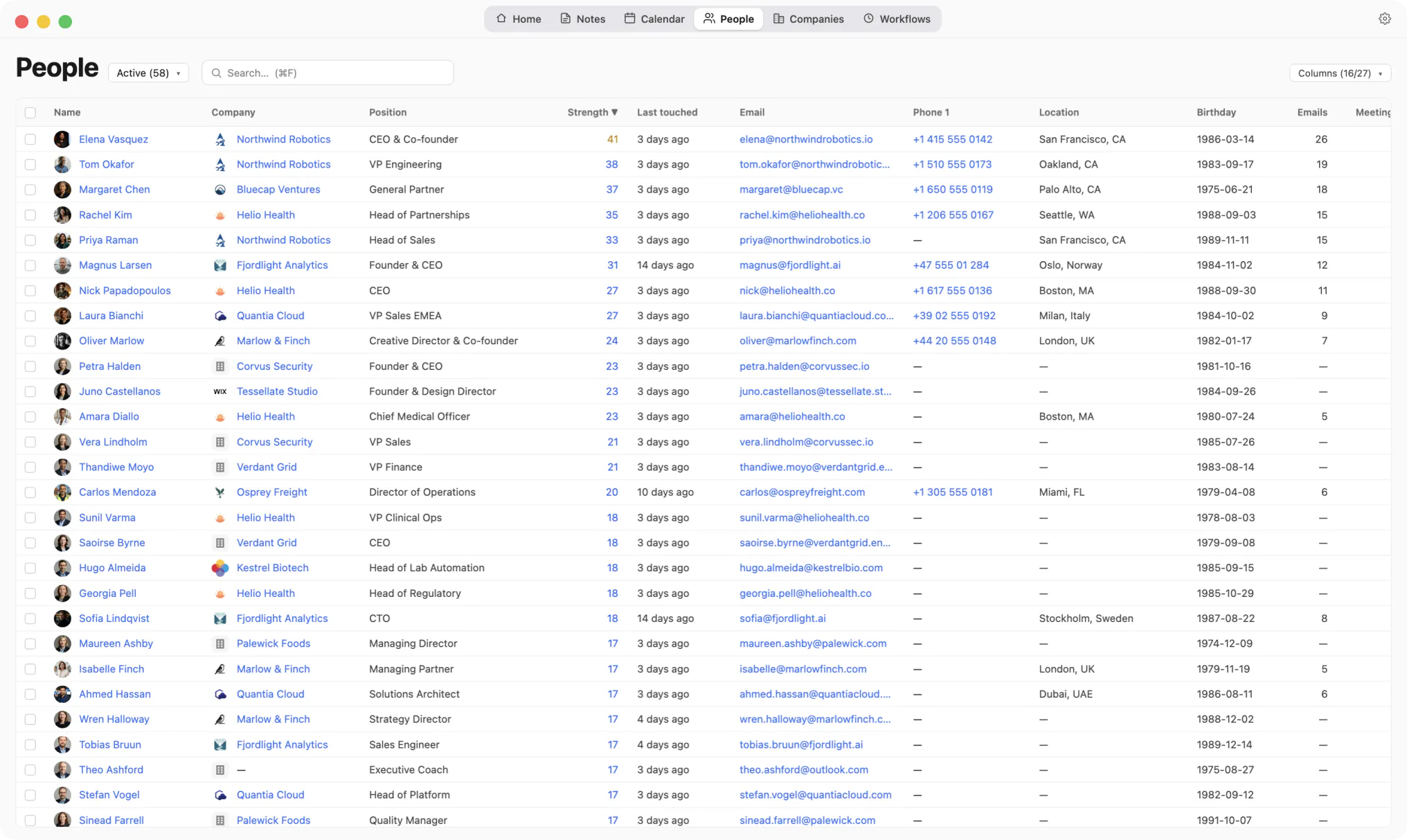
Nobody typed this in after a call.
Kola does not import from another tool, and it does not need to. It reads the same accounts you already connected elsewhere and builds its own picture from them.
Install Kola.
One download, signed and notarized by Apple. Nothing to export from a CRM first.
Connect an account.
Start with the mailbox and calendar you live in. Kola reads them in the background and fills itself in.
Keep both for a while.
Nothing forces a decision. Run them side by side and keep whichever earns its place.
Does Kola replace our pipeline?
No. There are no stages, no owners and no forecast. Keep the pipeline your team works and let Kola keep the network you carry.
Is anything logged after a call?
No. Kola reads what you already produce. You can record the call and it writes it up for you.
Do I have to import anything to get started?
No. Connect the same accounts you already use and Kola builds itself from them. There is nothing to export from anywhere else first.
Which accounts can it read?
Gmail, Outlook and Apple Mail, Google and Outlook calendars, Google and Apple Contacts, Telegram, WhatsApp, Slack, LinkedIn, Instagram and Facebook. Connect only the ones you use.
What does it need to run?
An Apple Silicon Mac. Kola is signed and notarized by Apple, so it opens with a normal double-click.
Install Kola and connect an account. Kola builds your contacts from there.