Rewind searches what your Mac saw. Kola searches the accounts you connected.
Choose Rewind if
Choose Kola if
Rewind records what happens on your Mac and lets you search it back afterwards.
Kola collects less on purpose. It reads the sources you hand it, and the calls you chose to record.
| What | Rewind | Kola |
|---|---|---|
| Made for | Searching back what your Mac saw | Remembering the people you meet |
| Reads | What happens on the machine | The accounts you hand it, and the calls you record |
| You end up with | The moment, found again | The person, with the thread behind them |
| Who it suits | People who want total recall | People who want the right name |
Sources, not the screen
Mail, calendar, messengers, your notes and recorded calls. Nothing is captured off the display or from the microphone in the background.
Answers name people
You get the person, with the emails, meetings and notes behind them, rather than a moment to scrub back to.
You choose each source
Every account is connected on its own and can be disconnected on its own.
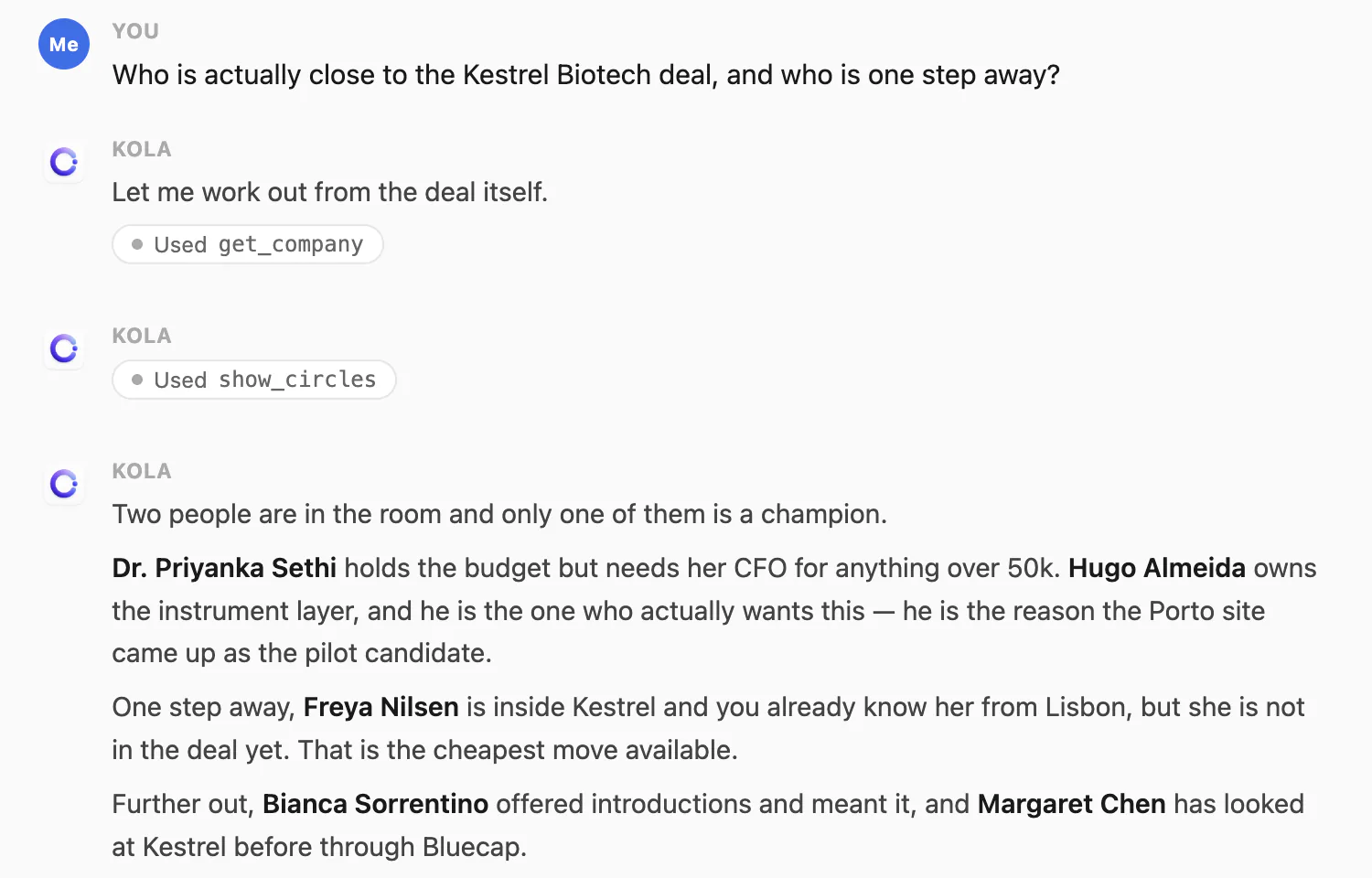
Ask in a sentence, get an answer with names.
Kola does not import from another tool, and it does not need to. It reads the same accounts you already connected elsewhere and builds its own picture from them.
Install Kola.
One download, signed and notarized by Apple. Nothing to export from Rewind first.
Connect an account.
Start with the mailbox and calendar you live in. Kola reads them in the background and fills itself in.
Keep both for a while.
Nothing forces a decision. Run them side by side and keep whichever earns its place.
Does Kola record my screen?
No. It reads the accounts you connect and the calls you choose to record. Nothing is captured off the display.
Can I turn a source off?
Yes. Every account is connected on its own and can be disconnected on its own.
Do I have to import anything to get started?
No. Connect the same accounts you already use and Kola builds itself from them. There is nothing to export from anywhere else first.
Which accounts can it read?
Gmail, Outlook and Apple Mail, Google and Outlook calendars, Google and Apple Contacts, Telegram, WhatsApp, Slack, LinkedIn, Instagram and Facebook. Connect only the ones you use.
What does it need to run?
An Apple Silicon Mac. Kola is signed and notarized by Apple, so it opens with a normal double-click.
Install Kola and connect an account. Kola builds your contacts from there.