Use cases

What people actually use it for.

Introductions, recall, meeting preparation, and the reflection at the end of the day. Kola reads the same accounts for all four.

Super connector

Know who can open the door.

You get asked for introductions all week. The hard part is not willingness, it is recall. Which of the people you know is actually close to what is being asked for?

Kola places people by distance from a company or a deal. Every ring is drawn from meetings, threads and shared employers you already have, and it names who is in the room, who is one step away, and who could open a door.

It also shows who has gone quiet, so you can get back in touch before you need something.
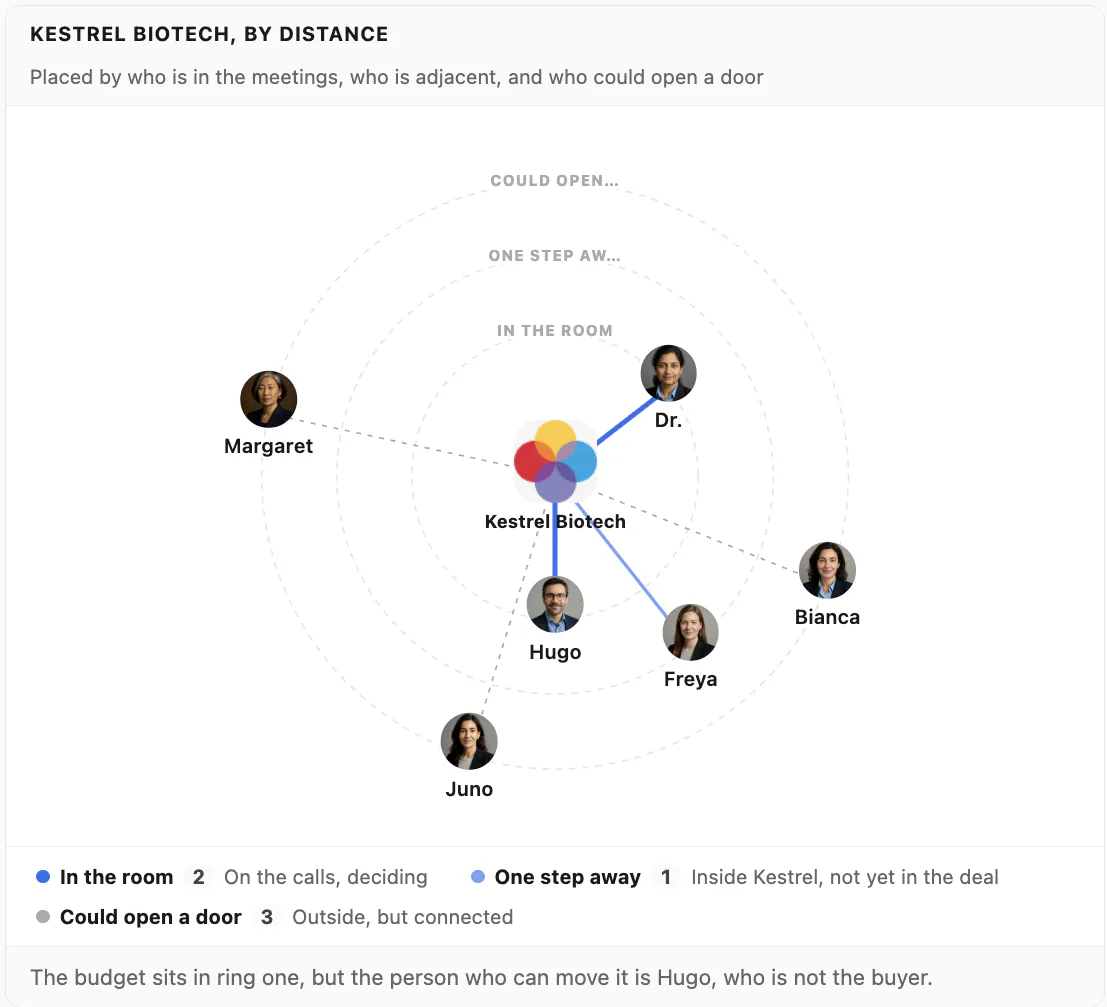
A Kola chart ringing the people around a deal by distance: two in the room, one a step away, three who could open a door
Second brain

Find what you were told, months later.

Notes, call transcripts, email threads and messages sit in one place on your Mac. Ask in a sentence instead of guessing a keyword. Kola searches by meaning, so "who complained about onboarding" finds the thread that said "the setup took us three weeks".

Every answer names where it came from, so you can open the note or the email behind it and read the rest.

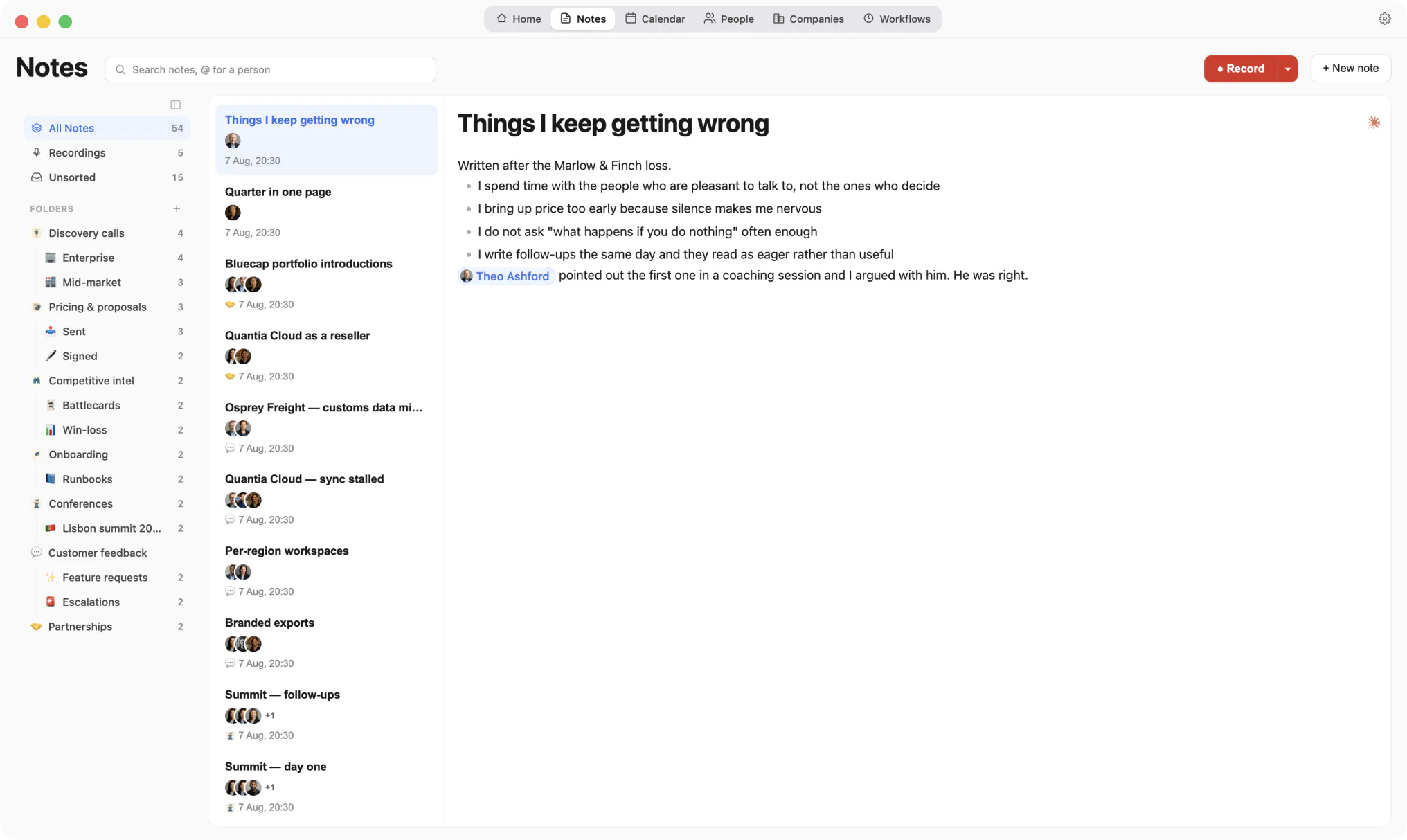
Kola's Notes screen: a folder tree with counts, a list of notes showing the people on each one, and one open note with a person mention chip

A note remembers who it is about, so it comes back when you ask about them.

Personal assistant

Walk in briefed, leave with a recap.

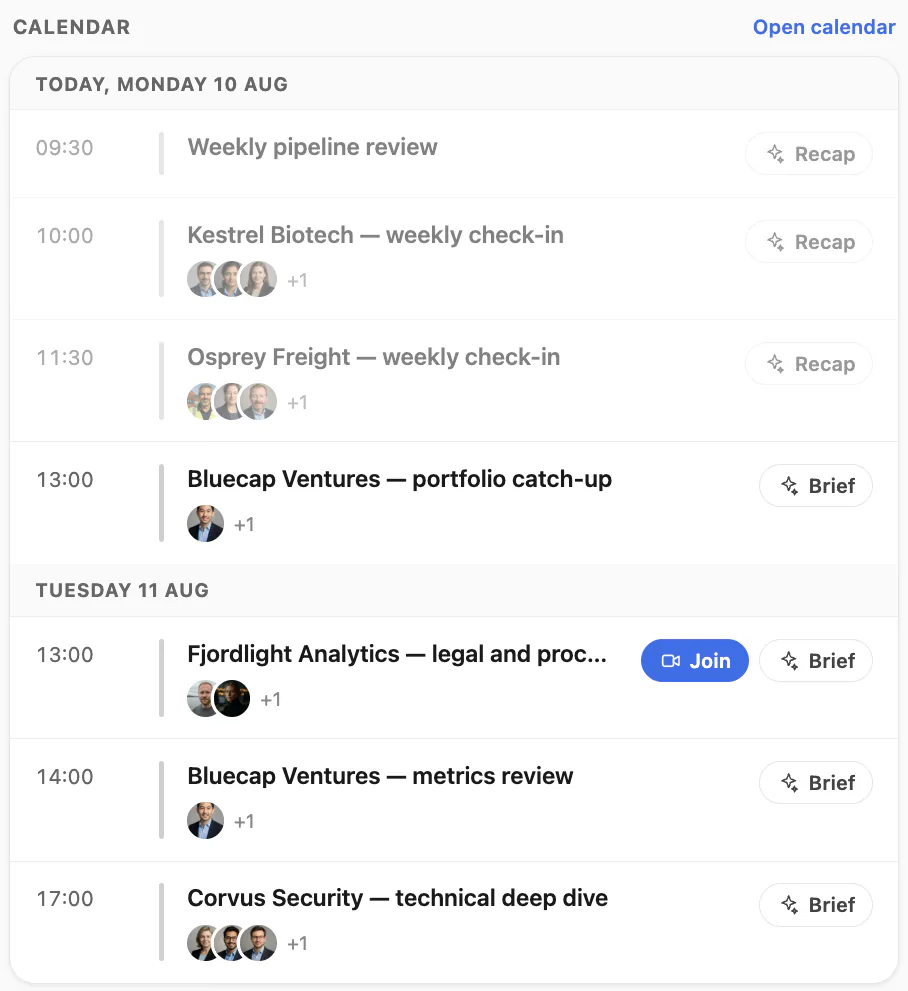
Kola lines up the day from your calendar. Press Brief before a meeting and it writes who is attending, what you last discussed and what is still open. Press Recap afterwards and it writes the call up from the recording.

Workflows take the jobs that repeat. "Every Monday at 08:00, list the deals that have gone quiet." Kola runs it on its own and shows you what it found.

Kola's calendar column: today's meetings with attendee faces, a Brief button on upcoming events and a Recap button on those that have finished
Journaling

You write the notes. Kola writes the reflection.

Keep notes through the day and attach them to the people they are about. At night Kola reads back what you wrote and turns it into a short page about you: what you are working on, what keeps coming up, and how you want things done. You wake up to the reflection you never had time to write.

Only your own writing

Your notes and the things you typed are read back. A pasted email cannot become part of the reflection, and neither can something another person said in a meeting. Those are removed before the nightly pass runs.

The reflection comes back to you

It is loaded at the start of every conversation, in Kola and in the assistant you connected. What you are building and how you like answers written only have to be said once.

Any night can be undone

Every revision is kept, so a night that got you wrong can be rolled back. You can read the page and edit it yourself in Settings.

Ask an AI who uses Kola

These open a chat with the question already typed, pointed at this page. It asks for a balanced answer, including where Kola is the wrong choice.

Get started

Never forget who you know.

Install Kola and connect an account. Kola builds your contacts from there.